

For families in our service areas
For families in our service areas, this guide explains caregiver support and how non-medical in-home caregiving can support care planning in East Idaho, Treasure Valley & Magic Valley, Northern Wasatch, North Central West Virginia, and Northeast Ohio.
Understanding Family Caregivers to Boost Senior
The digital landscape can be daunting for older adults, often leaving them feeling isolated and frustrated as they struggle to keep up with rapidly evolving technology. With nearly one-third of Americans now utilizing generative AI tools, the digital divide for seniors has never been more pronounced. This situation not only affects their ability to connect with others but also impacts their independence and confidence in a tech-driven world.
To address this challenge, family caregivers play a crucial role in enhancing the computer skills of their loved ones. By fostering independence and confidence, caregivers can help seniors not just navigate technology but thrive in it. This article presents ten practical tips designed to empower caregivers, ensuring that seniors can engage with the digital world effectively.
How can caregivers bridge this gap and support their loved ones in becoming more tech-savvy?
Happy to Help Caregiving: Personalized Support for Seniors
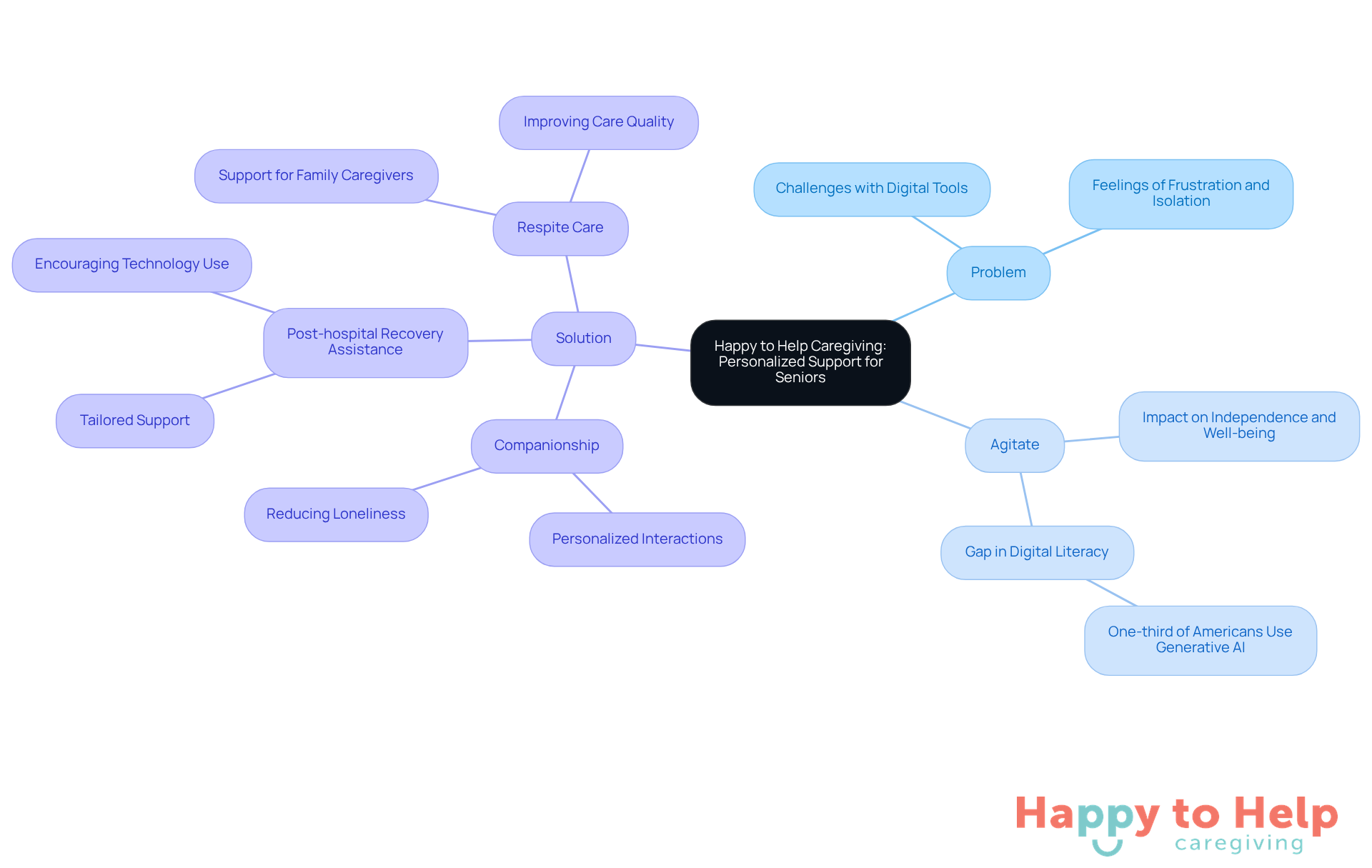
Problem: Many older adults face challenges when it comes to using digital tools, which can hinder their independence and well-being.
Agitate: This struggle often leads to feelings of frustration and isolation, making it difficult for them to engage with technology that could enhance their quality of life. As nearly one-third of Americans regularly use generative AI tools, the gap in digital literacy for seniors is more pronounced than ever.
Solution: Happy to Help Caregiving excels in delivering personalized assistance tailored to the unique needs of older adults. Services such as:
- Companionship
- Post-hospital recovery assistance
- Respite care
are designed to promote independence and well-being. By understanding each client's preferences and challenges, caregivers create a nurturing environment that encourages seniors to confidently use senior computer technology.
This customized approach not only improves the quality of care but also helps older adults enhance their senior computer skills in a familiar and comfortable setting. Caregivers frequently share how tailored assistance transforms the digital experience for seniors, making it less daunting and more accessible. This ultimately leads to improved digital literacy and engagement.
As advancements in intelligent home solutions and AI tools continue to emerge, Happy to Help Caregiving remains committed to integrating these innovations into their caregiving practices, ensuring that older adults can thrive in a tech-savvy world.
Choose User-Friendly Devices: Simplify Technology for Seniors
When it comes to older adults and technology, the challenge is clear: many struggle to adapt to new gadgets. This can lead to frustration and a reluctance to use devices that could enhance their lives. Caregivers face the task of finding solutions that bridge this gap and empower their loved ones.
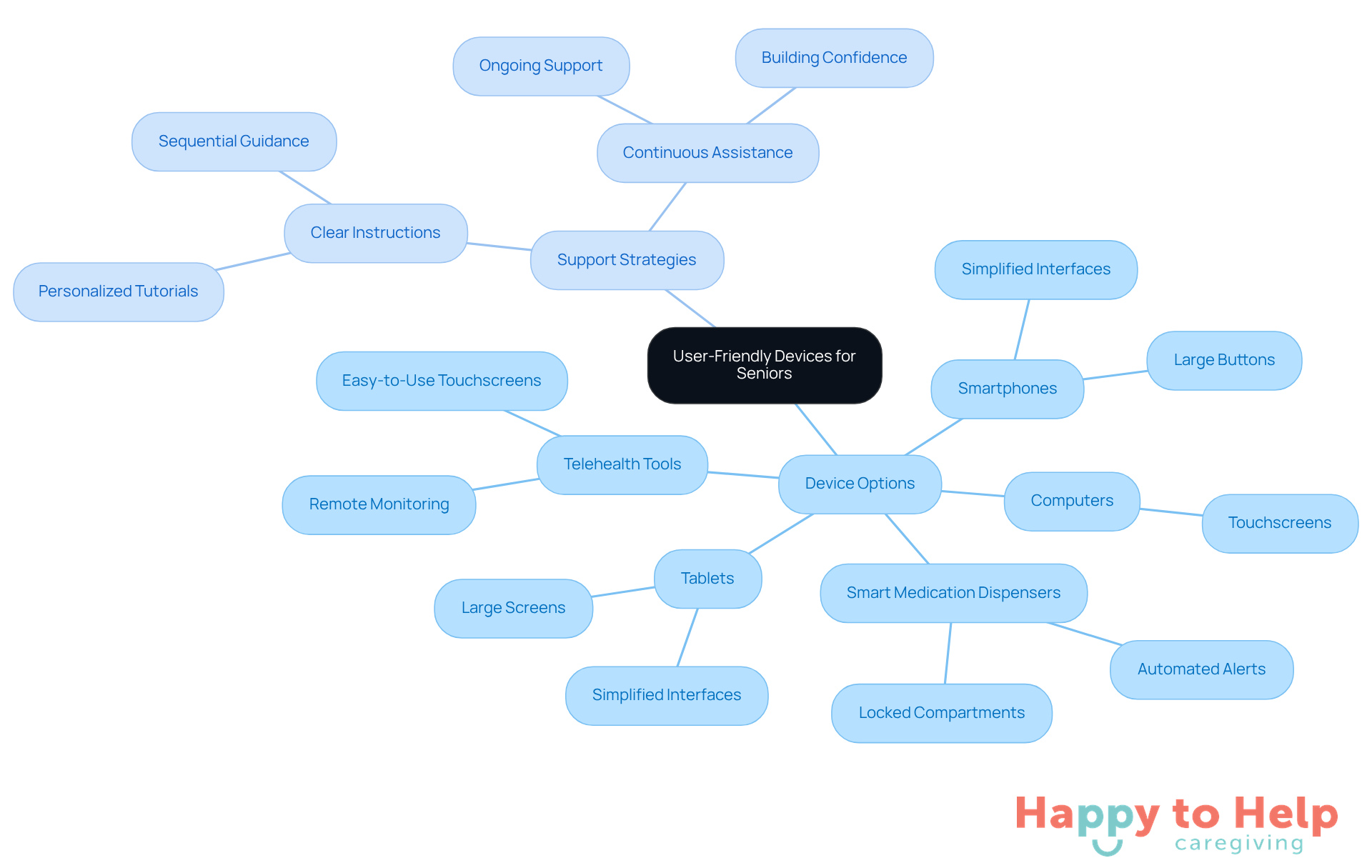
To address this issue, selecting easy-to-use devices is essential. Consider the following options:
- Tablets with large screens
- Smartphones featuring simplified interfaces
- Computers equipped with touchscreens
These can significantly reduce the learning curve. Additionally, look for devices that offer voice commands and larger buttons, which can make navigation easier.
Support is equally important. As elderly individuals learn to utilize new tools, caregivers should provide clear, sequential instructions to build confidence. Continuous assistance can make a world of difference in their learning process.
Moreover, choosing devices designed specifically for older adults can alleviate frustration and encourage more frequent use. Examples include:
- Smart medication dispensers
- Telehealth tools
These not only improve safety but also foster greater independence. By implementing these strategies, caregivers can help their loved ones embrace technology with ease.
Utilize Online Tutorials: Accessible Learning Resources for Seniors
Online tutorials are essential for older adults looking to improve their computer skills. However, many face challenges in accessing and utilizing these resources effectively. Caregivers often struggle to guide seniors in using the senior computer through the vast array of online platforms available.
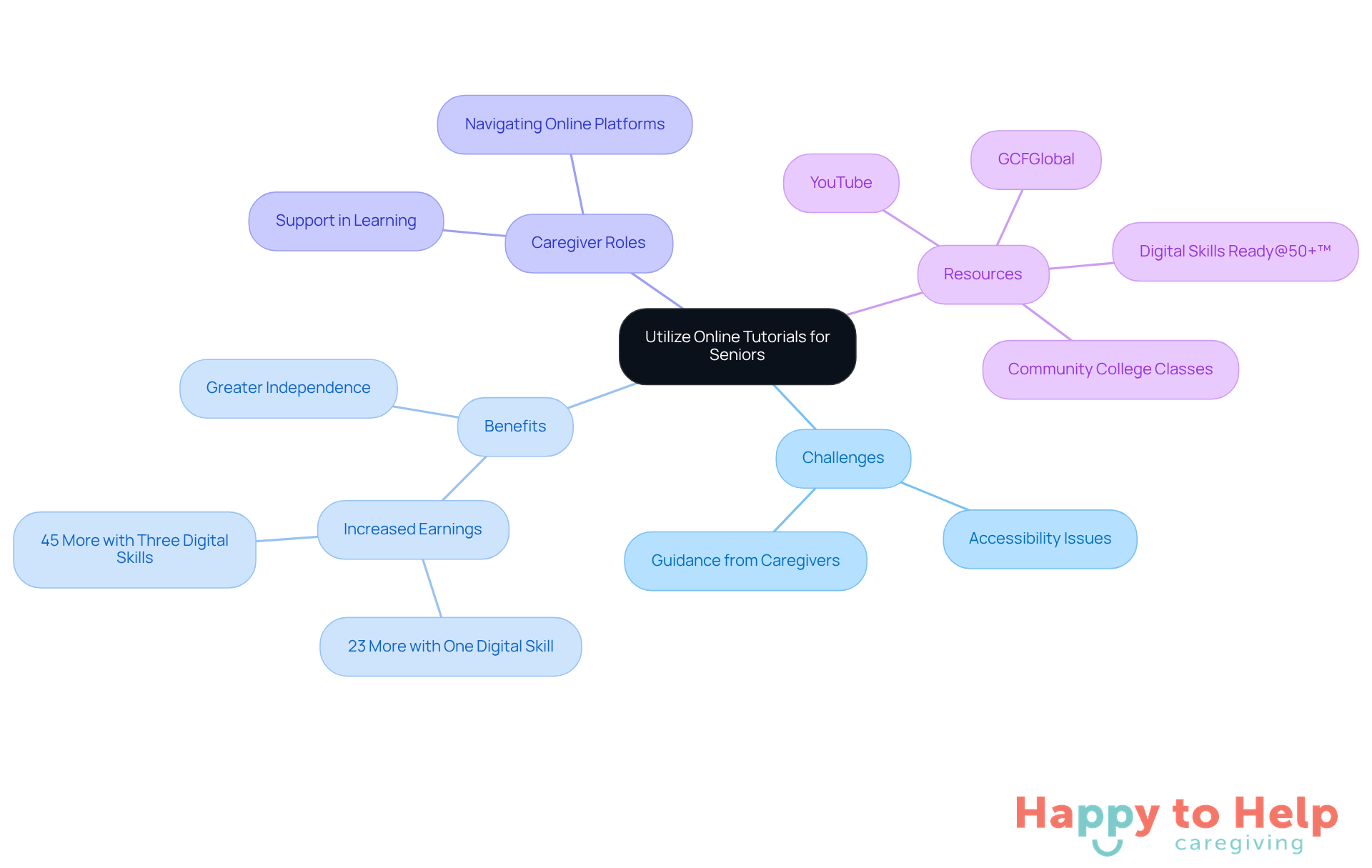
The implications of this issue are significant. Without proper digital skills, older adults who use senior computers may feel isolated and less independent. Research shows that older workers with at least one digital skill earn an average of 23% more than those without, highlighting the practical benefits of digital literacy. Moreover, educators stress the importance of patience and support in teaching senior computer users technology. As retired educator Jolynn Bailey noted, "If I can Zoom, you can Zoom," emphasizing the crucial role caregivers play in this educational journey.
Fortunately, there are actionable solutions. Platforms like GCFGlobal and YouTube offer free, step-by-step video tutorials on various topics, from basic computer operations to social media navigation. These resources allow older adults to learn at their own pace, revisiting lessons as needed to build confidence in their technology use. Additionally, initiatives like Digital Skills Ready@50+™ provide complimentary, on-demand training focused on essential digital competencies, which can greatly enhance the quality of life for those using senior computers. Participants can complete the training in about 15-20 minutes, with the flexibility to start and pause as necessary.
Caregivers can assist by helping seniors navigate these platforms and select tutorials that align with their interests. By fostering an accessibility-friendly environment on devices and encouraging older adults to engage with online tutorials, caregivers can help bridge the digital divide. Community colleges also often offer free computer classes for older adults, further showcasing accessible learning resources.
In summary, by motivating older adults to utilize online tutorials and providing the necessary support, caregivers can significantly improve their digital skills and promote greater independence.
Practice Regularly: Build Confidence Through Consistent Use
Motivating senior computer users to practice their skills regularly presents a significant challenge. Many older adults, often referred to as senior computer users, struggle with confidence and proficiency in using digital tools, which can hinder their ability to stay connected and maintain independence. In fact, nearly 50% of older adults, particularly those who are senior computer users, require assistance to understand how to operate new gadgets, leading to frustration and a sense of isolation.
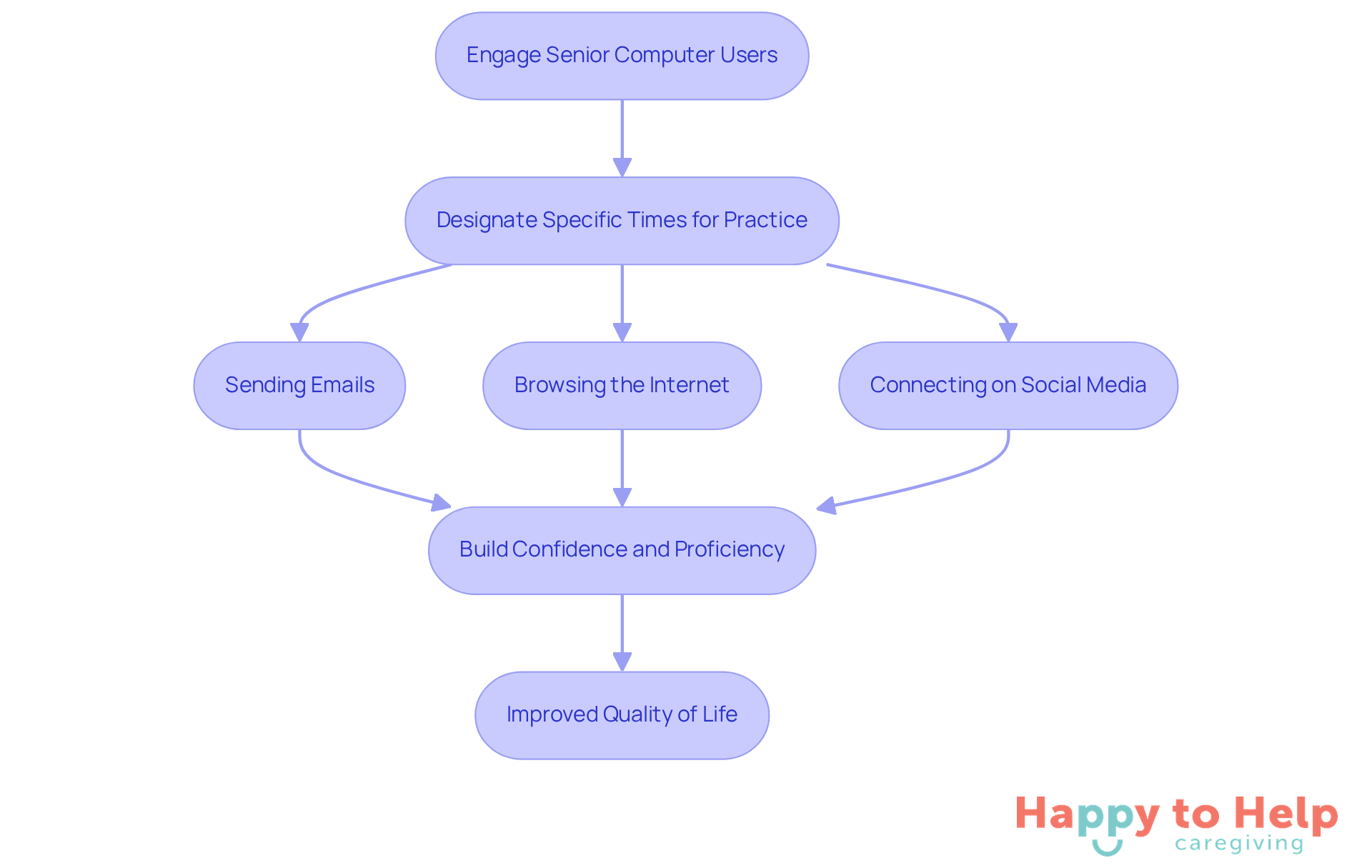
To address this issue, caregivers can designate specific times each week for engaging with digital tools. Activities like:
- Sending emails
- Browsing the internet
- Connecting on social media
can be incorporated into these senior computer sessions. This regular practice not only strengthens learning but also reduces fears associated with using senior computer technologies. Caregivers play a crucial role by participating in these sessions, offering support and encouragement, which transforms the experience into a more enjoyable and less intimidating activity.
As Brian Kane states, "Comprehending advancements is vital for staying connected and maintaining independence." Programs that encourage consistent use of devices, such as community classes or online tutorials, can further enhance older adults' abilities and confidence. As they become more accustomed to digital tools, many older adults, particularly senior computer users, express a sense of empowerment and connection, significantly improving their overall quality of life.
Join Community Classes: Engage and Learn with Peers
Older adults often face significant challenges in navigating technology, leading to feelings of isolation and frustration. This digital divide not only hampers their ability to connect with others but also limits their access to essential services and information.
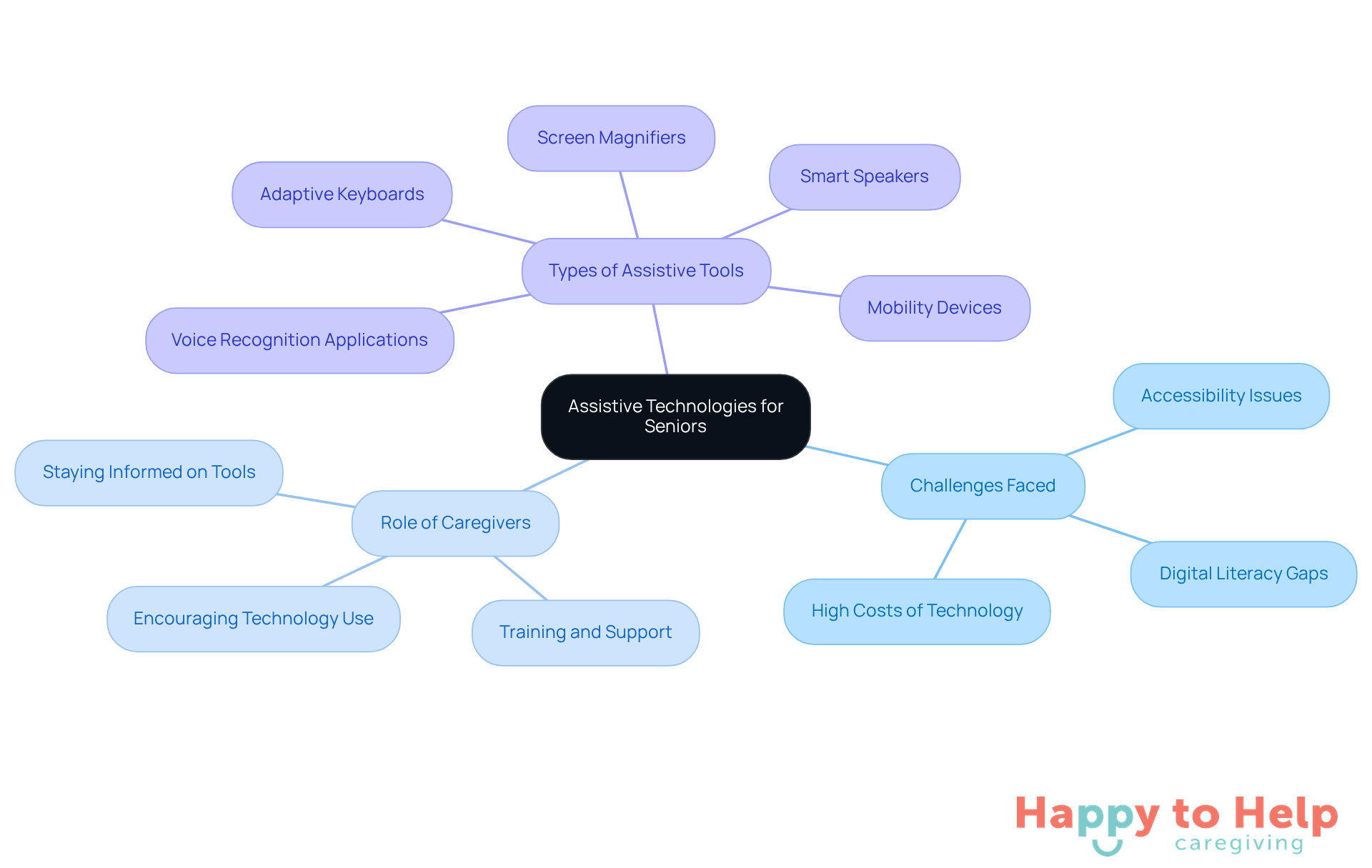
Community classes present a valuable solution to these issues. Many local libraries, community centers, and elder organizations offer free or affordable classes designed to improve senior computer proficiency. These educational settings not only enhance technological skills but also provide a space for older adults to interact, significantly reducing feelings of loneliness.
Research indicates that social learning environments can boost retention and comprehension of technology. Older individuals frequently feel more comfortable asking questions and sharing experiences in a group setting. Effective initiatives, such as those from Senior Planet and Cyber-Seniors, demonstrate that when older adults learn together, they not only gain technical skills but also build friendships and support networks that enrich their lives. For instance, over 100 older adults have graduated from digital literacy classes, highlighting the positive impact of these programs.
As Linda Mitchell Johnson, Executive Director of the Elderly Citizen Association of Florence County, notes, "So often, older adults feel as if they will never understand technology. In our community, we encourage everyone who wants to learn." This dual benefit of learning and socializing makes community classes an excellent choice for older adults aiming to enhance their skills as senior computer users.
With classes resuming on November 25, now is an ideal time for family caregivers to enroll their loved ones in these enriching programs. Addressing the digital divide is crucial, and these community classes play a significant role in bridging that gap for older adults.
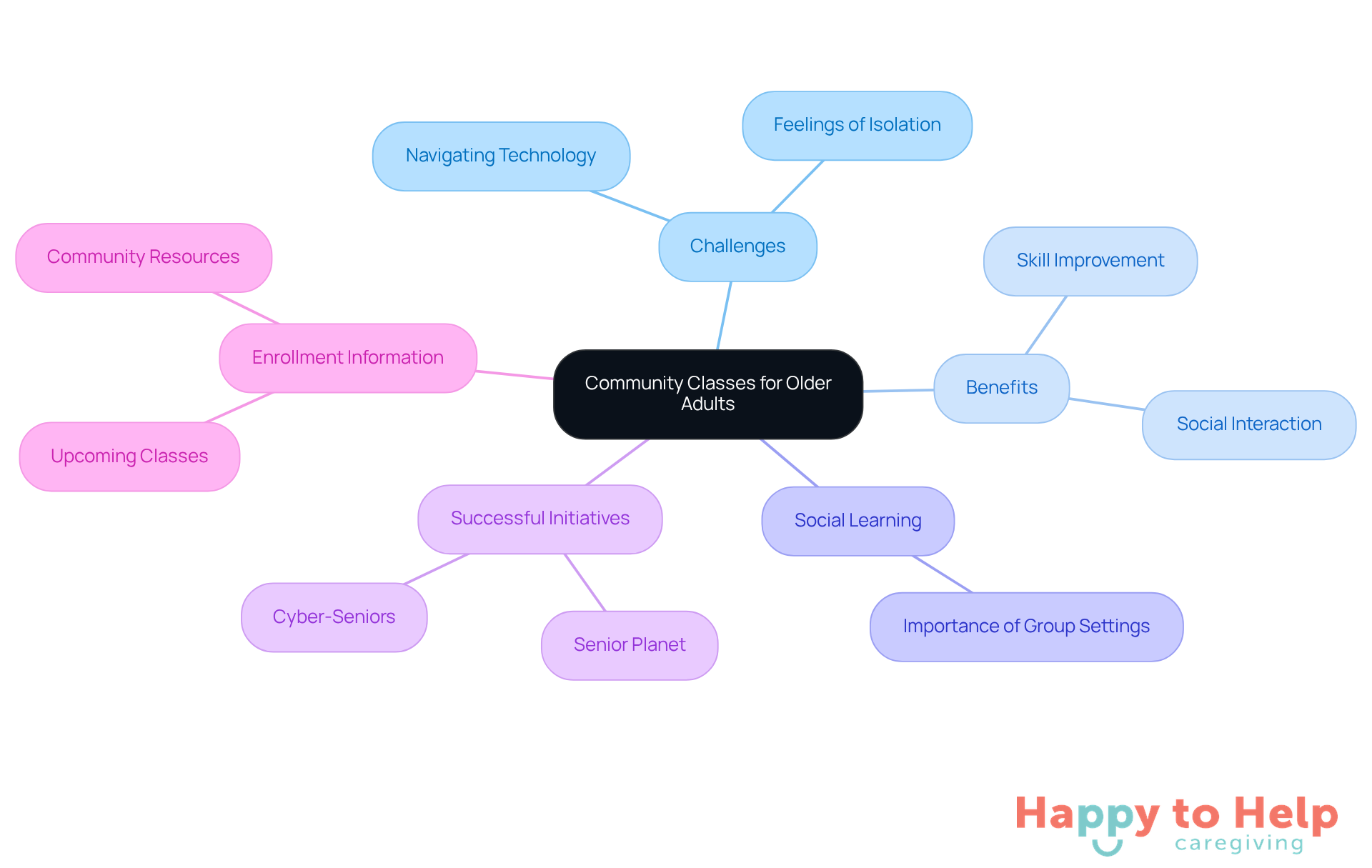
Create a Comfortable Workspace: Enhance Focus and Reduce Frustration
Creating a comfortable workspace for senior computer users is a significant challenge. As they learn to navigate technology, distractions and discomfort can hinder their progress. A poorly arranged environment can lead to frustration and disengagement, making it difficult for seniors to focus on their tasks.
To address these issues, caregivers can take several practical steps:
- Establishing a well-lit, quiet area free from distractions is crucial. This fosters concentration and helps reduce frustration.
- Utilizing ergonomic furniture supports good posture and minimizes discomfort during extended use.
- Storing commonly used items within easy reach allows seniors to focus on their tasks without unnecessary strain.
- A tidy environment not only promotes organization but also enhances the overall educational experience.
Caregivers play a vital role in arranging the workspace to be both welcoming and practical. This thoughtful design can significantly improve comfort and efficiency, making tools more accessible for older adults. As ergonomics experts note, a considerate workspace design can greatly enhance the learning experience for senior computer users.
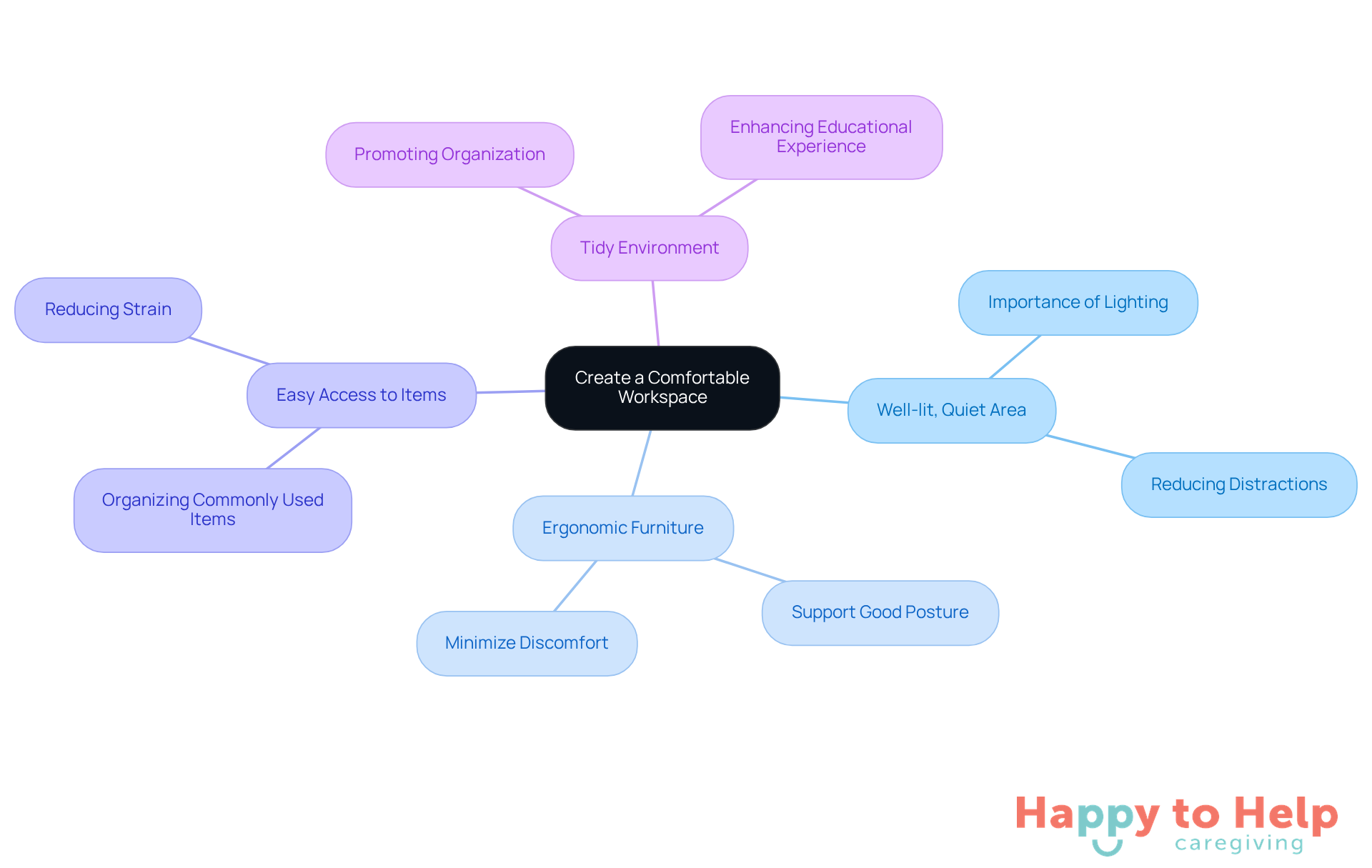
Encourage Family Support: Foster Patience and Guidance
Older adults often face challenges in developing digital skills, which can lead to feelings of frustration and isolation. This problem is compounded by the rapid pace of technological change, leaving many feeling left behind.
However, including family members in the educational process can significantly alleviate these issues. Family members provide essential patience, guidance, and emotional support, transforming what might feel like a daunting task into a more manageable experience.
One effective solution is to organize family tech nights. These gatherings allow everyone to learn together, share tips, and celebrate progress. This cooperative approach not only enhances educational outcomes but also strengthens family connections, turning digital tools into a shared experience.
Family therapists emphasize that such collaborative learning environments can boost confidence and reduce anxiety for older adults. By nurturing a sense of achievement and connection, families can help their loved ones thrive in the digital age.
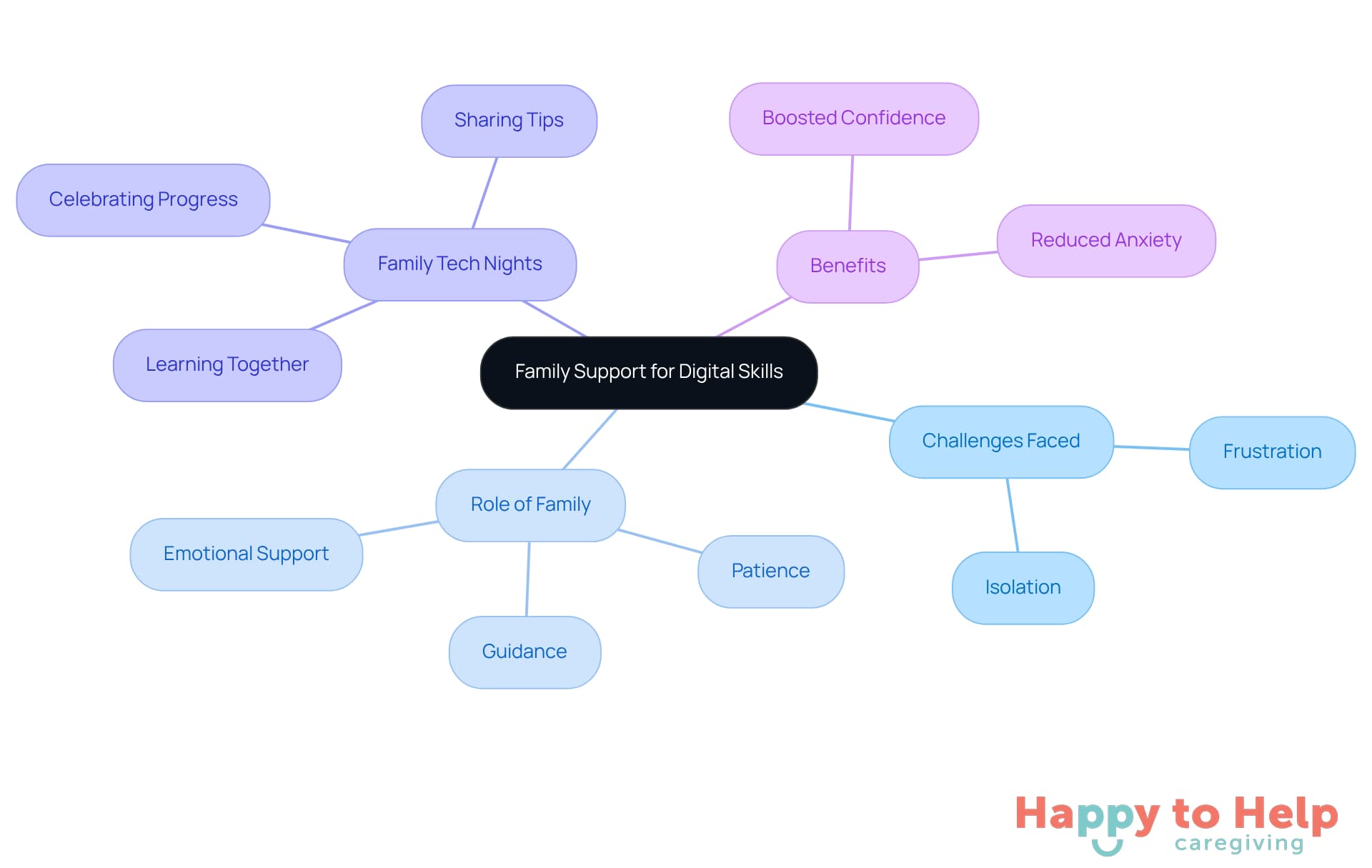
Explore Assistive Technologies: Enhance Accessibility for Seniors
Assistance tools are crucial for addressing the challenges faced by senior computer users when interacting with digital devices. Many seniors struggle with accessibility on their senior computer, which can hinder their ability to stay connected and engaged in today’s digital world. This issue not only affects their communication but also their overall quality of life.
Current trends show that older adults are increasingly becoming senior computer users, with over 75% of those with internet access using it daily. This highlights the need for effective tools that enhance their digital literacy. Caregivers play a vital role in this process; they should actively encourage older adults to explore assistive technologies like:
- Voice recognition applications
- Screen magnifiers
- Adaptive keyboards
These tools can significantly reduce barriers to using senior computer solutions, fostering greater independence.
Moreover, caregivers must stay informed about the latest developments in assistive devices. By introducing new tools as needed, they can empower seniors using senior computers to maintain their autonomy and improve their quality of life. As Dr. Archie, an occupational therapist, notes, these innovative tools not only enhance safety and independence but also provide reassurance to care partners. Embracing assistive technology is essential for creating a more inclusive and supportive environment for older adults.
Understand Cybersecurity: Protect Yourself Online
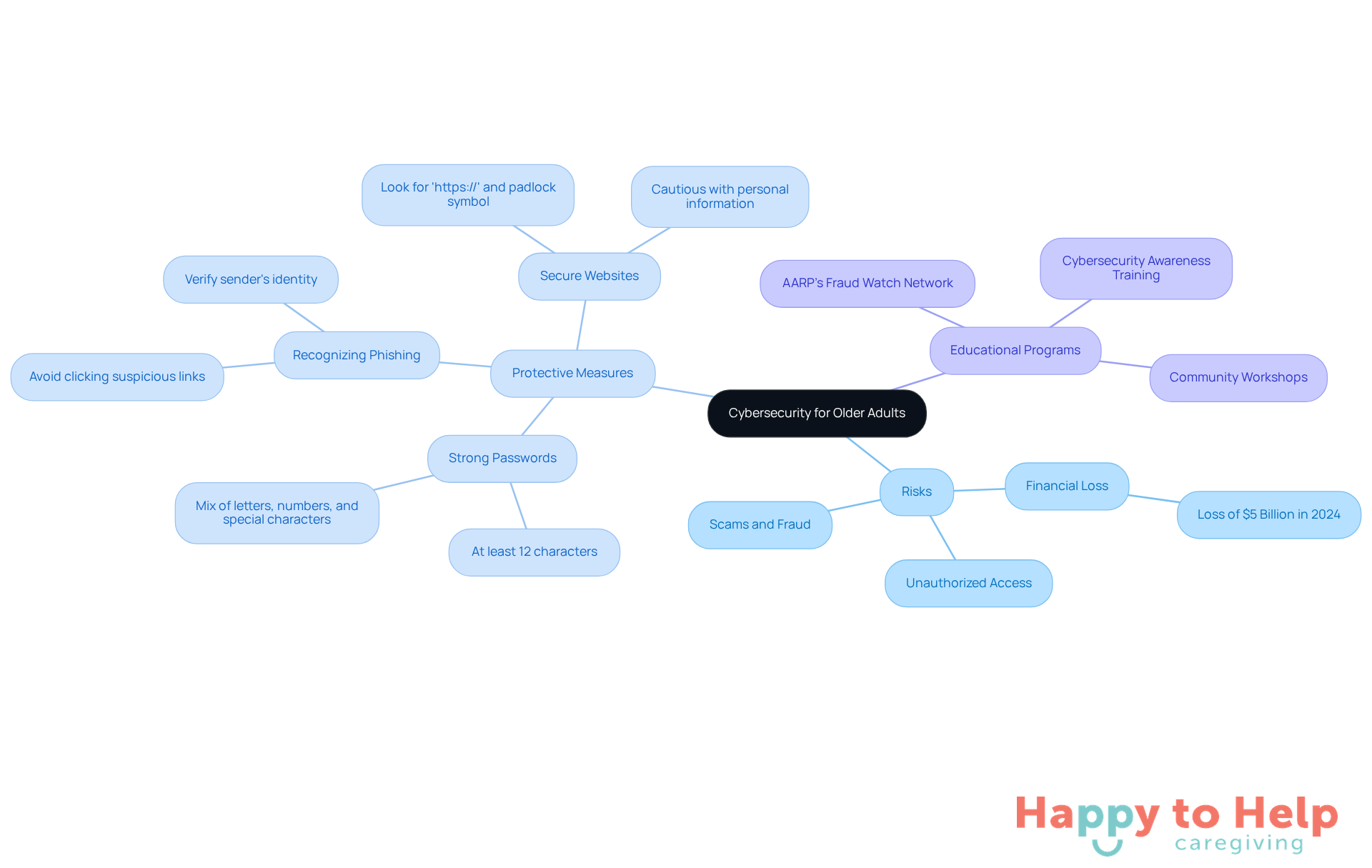
Understanding cybersecurity is essential for older adults to navigate the online world safely. The problem is that many seniors face significant risks, including unauthorized access to their personal information and falling victim to scams. In 2024, Americans over the age of 60 lost nearly USD $5 billion to online fraud, highlighting the financial impact of these threats.
To address these challenges, strong passwords serve as the first line of defense. It's crucial to create passwords that are at least 12 characters long, incorporating a mix of letters, numbers, and special characters. Additionally, seniors should be vigilant about recognizing phishing scams, which often come disguised as legitimate emails or messages. Encouraging them to avoid clicking on suspicious links and to verify the sender's identity can significantly reduce the risk of falling victim to these scams.
Utilizing secure websites is another essential practice. Older adults should look for URLs that start with 'https://' and a padlock symbol in the address bar, indicating a secure connection. They should also be cautious when sharing personal information online, especially in response to unsolicited requests. By fostering an understanding of these principles, older adults can enhance their online safety and feel more confident in their technology use.
Successful programs aimed at teaching online safety to older adults have emerged, focusing on practical skills and awareness. For example, initiatives such as the AARP’s Fraud Watch Network offer resources and organize events to assist older adults in identifying and steering clear of typical scams. Cybersecurity professionals emphasize that continuous education and vigilance are key to protecting older adults online. As one expert from Senior Consulting Advisors noted, 'The best deterrent to cybercrime is to practice cybersecurity and vigilance constantly.' By providing older adults with the knowledge and resources to traverse the digital environment securely, we can enable them to adopt advancements with assurance.
Commit to Ongoing Learning: Stay Updated with Technology Trends
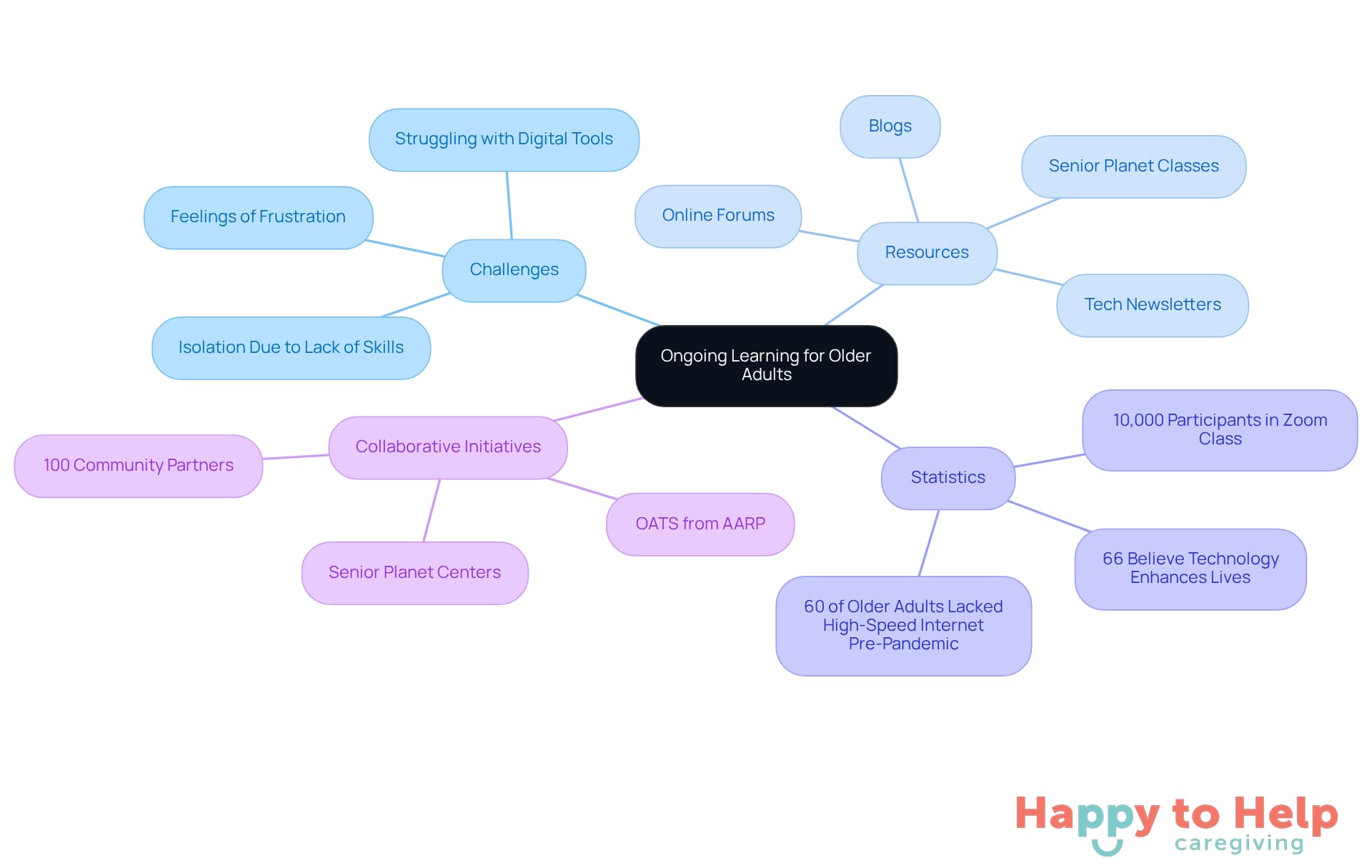
Motivating older adults to engage in continuous education presents a significant challenge. As technology rapidly evolves, many older individuals find themselves struggling to keep pace, which can hinder their ability to navigate essential digital tools. This gap in digital literacy can lead to feelings of frustration and isolation, particularly as more services move online.
Fortunately, there are numerous resources available to help older adults enhance their digital skills. Subscribing to tech newsletters, following relevant blogs, and participating in online forums can significantly improve their digital capabilities. Organizations like Senior Planet offer around 50 classes weekly on various tech topics, including senior computer skills such as using Zoom and shopping online. Notably, during the early pandemic, over 10,000 individuals participated in the How to Use Zoom class, underscoring the urgent need for education in digital tools among older adults.
Initiatives such as OATS from AARP have effectively broadened access to digital education, empowering older adults to gain the confidence and skills necessary to navigate the digital landscape. According to AARP, two-thirds of adults aged 50 and above (66%) believe technology can enhance their lives, reflecting a positive outlook towards digital advancements.
Moreover, OATS collaborates with 100 community partners, collectively serving over 4,300 older adults across multiple southern rural counties. This collaborative effort showcases the commitment to promoting digital literacy among senior computer users. By prioritizing these learning opportunities, older adults can remain informed and adept in an ever-evolving technological world.
Moving Forward with Family Caregivers to Boost Senior
Empowering older adults to enhance their computer skills presents a significant challenge. Many seniors struggle with technology, which can hinder their independence and confidence in today’s digital world. This gap not only affects their ability to connect with others but also contributes to feelings of isolation and frustration.
To address this issue, family caregivers can play a crucial role in bridging the technology gap. By focusing on personalized support and user-friendly devices, caregivers can create a nurturing environment where seniors can thrive. Key strategies include:
- Selecting appropriate technology
- Utilizing online tutorials
- Establishing a comfortable workspace
Encouraging regular practice and engaging in community classes can further enhance the learning experience.
Moreover, fostering family support is essential. These initiatives not only equip seniors with vital skills but also help reduce feelings of isolation. Caregivers are encouraged to explore assistive technologies and emphasize the importance of cybersecurity, ensuring a safe and empowering digital environment.
Ultimately, the journey towards improved digital skills for seniors is about enriching their lives. By committing to ongoing learning and adaptation, both seniors and caregivers can navigate the digital landscape with confidence and ease. Taking proactive steps in supporting loved ones can make a significant difference in their ability to remain connected and engaged.
https://iframe.tely.ai/cta/eyJhcnRpY2xlX2lkIjogIjY5MjRmMWFmZWM0Y2FiOGU3NGVjMDA5NiIsICJjb21wYW55X2lkIjogIjY4ZWU1ZGNhNzMxNzYyNTU3ZjNjOTVjMSIsICJpbmRleCI6IG51bGwsICJ0eXBlIjogImFydGljbGUifQ==Frequently Asked Questions
What challenges do older adults face when using digital tools?
Many older adults struggle with using digital tools, which can hinder their independence and well-being, often leading to feelings of frustration and isolation.
How does Happy to Help Caregiving support seniors in using technology?
Happy to Help Caregiving provides personalized assistance tailored to the unique needs of older adults, including companionship, post-hospital recovery assistance, and respite care, to promote independence and well-being.
What benefits do seniors gain from personalized caregiving support?
Personalized caregiving helps improve the quality of care, enhances seniors' computer skills in a comfortable environment, and makes technology less daunting and more accessible.
What types of devices are recommended for older adults to simplify technology use?
Recommended devices include tablets with large screens, smartphones with simplified interfaces, and touchscreen computers, which can significantly reduce the learning curve.
How can caregivers assist older adults in learning to use new technology?
Caregivers can provide clear, sequential instructions and continuous support to build seniors' confidence in using new tools.
What specific devices designed for older adults can improve safety and independence?
Examples of user-friendly devices include smart medication dispensers and telehealth tools, which enhance safety and encourage more frequent use.
Why are online tutorials important for seniors looking to improve their computer skills?
Online tutorials provide essential resources for older adults to learn at their own pace, helping them build confidence and reduce feelings of isolation associated with a lack of digital skills.
What are some platforms where seniors can find online tutorials?
Platforms like GCFGlobal and YouTube offer free, step-by-step video tutorials on various topics, allowing older adults to learn basic computer operations and social media navigation.
How can caregivers facilitate the learning process for seniors using online tutorials?
Caregivers can help seniors navigate online platforms, select relevant tutorials, and create an accessibility-friendly environment on devices.
What additional resources are available for seniors to improve their digital skills?
Initiatives like Digital Skills Ready@50+™ provide complimentary, on-demand training focused on essential digital competencies, and community colleges often offer free computer classes for older adults.
List of Sources
- Happy to Help Caregiving: Personalized Support for Seniors
- How AI Could Change Family Caregiving (https://aarp.org/caregiving/basics/how-ai-can-help-caregivers)
- Home Care for Seniors: Advancements Caregivers Must Know (https://seniorhelpers.com/ca/concord/resources/blogs/2025-11-16)
- How Older People Are Reaping Brain Benefits From New Tech (https://nytimes.com/2025/08/09/health/technology-cognition-older-people.html)
- 2025: AI enhances personalized care; caregiver experience in the spotlight (https://healthcareitnews.com/news/2025-ai-enhances-personalized-care-caregiver-experience-spotlight)
- Trends in Senior Care: What to Expect in 2025 (https://agingconnections.org/blog/trends-in-senior-care-what-to-expect-in-2025)
- Choose User-Friendly Devices: Simplify Technology for Seniors
- Top Tech Gadgets Every Senior Should Have in 2025 (https://allseniors.org/articles/top-tech-gadgets-every-senior-should-have-in-2025)
- Technology to Enhance the Lives of Seniors: From Smart Devices to Safety Gadgets (https://absoluteeldercare.com/technology-to-enhance-the-lives-of-seniors-from-smart-devices-to-safety-gadgets)
- Easy-to-Use Tech Devices That Are Boosting Senior Wellness in 2025 - WorldHealth.net (https://worldhealth.net/news/easy-to-use-tech-devices-senior-wellness)
- Assistive Technology Devices: Helping Seniors Age In Place » Online Graduate Programs in Innovative Aging Studies » College of Medicine » University of Florida (https://online.aging.ufl.edu/2025/03/19/assistive-technology-devices-helping-seniors-age-in-place)
- Older Americans Are Leveraging More Technology (https://aarp.org/pri/topics/technology/internet-media-devices/2025-technology-trends-older-adults)
- Utilize Online Tutorials: Accessible Learning Resources for Seniors
- Senior Computer Classes: Recommended Online Programs & Tutorials | Crestwood Manor (https://crestwoodmanoronline.org/blog/senior-computer-classes-recs)
- 9 Best Computer Classes for Seniors Online (https://californiamobility.com/the-best-computer-classes-for-seniors-to-learn-the-basics)
- On-Demand Learning - Senior Planet from AARP (https://seniorplanet.org/on-demand)
- Get Free Tech and Digital Skills Training for Work (https://aarp.org/aarp-foundation/our-work/income/info-2022/aarp-foundation-to-provide-free-digital-skills-training.html)
- AARP Joins With Nonprofit to Teach Tech to Older Adults (https://aarp.org/about-aarp/oats-senior-planet)
- Practice Regularly: Build Confidence Through Consistent Use
- The Importance of Tech Education for Older Adults (https://usnews.com/news/health-news/articles/2020-11-25/the-importance-of-technology-education-for-seniors)
- Seniors who use technology more socially engaged, study finds (https://mcknights.com/news/seniors-who-use-technology-more-socially-engaged-study-finds)
- Gray-Haired Tech: Older adults should embrace technology (https://dnronline.com/news/science\_and\_technology/gray-haired-tech-older-adults-should-embrace-technology/article\_9fc6435e-6c7e-57db-b486-a6d999f0bf5a.html)
- The Importance Of Tech Training For Seniors (https://discoveryvillages.com/senior-living-blog/the-importance-of-tech-training-for-seniors)
- Technology use may keep older adults healthier (https://news.uga.edu/tech-use-linked-to-better-social-health)
- Join Community Classes: Engage and Learn with Peers
- Cyber-Seniors - Cyber-Seniors Inc. (https://cyberseniors.org)
- Welcome to Senior Planet - Senior Planet from AARP (https://seniorplanet.org)
- AARP Joins With Nonprofit to Teach Tech to Older Adults (https://aarp.org/about-aarp/oats-senior-planet)
- Spectrum Digital Education Program Teaches Digital Literacy to Seniors in Florence, South Carolina | Charter Communications (https://corporate.charter.com/newsroom/spectrum-digital-education-empowers-seniors-through-digital-literacy)
- Digital Literacy Resources | California Department of Aging - State of California (https://aging.ca.gov/Programs\_and\_Services/Digital\_Inclusion/Digital\_Literacy\_Resources)
- Create a Comfortable Workspace: Enhance Focus and Reduce Frustration
- (https://connectednation.org/blog/how-technology-is-enhancing-the-well-being-of-older-adults)
- Older Adults Embracing Technology, AARP Reports (https://forbes.com/sites/jamiegold/2024/01/23/older-adults-embracing-technology-aarp-reports)
- New Report Finds Growing Interest in Tech for Aging Well At Home (https://press.aarp.org/2025-1-8-New-Report-Finds-Growing-Interest-Tech-Aging-Well-Home)
- AI in Senior Living: 7 Industry Experts Reveal Top Opportunities and Risks - Argentum (https://argentum.org/ai-in-senior-living-7-industry-experts-reveal-top-opportunities-and-risks)
- Seniors Embracing Tech to Keep Travel Affordable, Safe, and Fun (https://ltcnews.com/articles/seniors-embracing-tech-keep-travel-affordable-safe-fun)
- Encourage Family Support: Foster Patience and Guidance
- The Importance of Tech Education for Older Adults (https://usnews.com/news/health-news/articles/2020-11-25/the-importance-of-technology-education-for-seniors)
- Technology Use Among Older Adults and Their Caregivers: Cross-Sectional Survey Study - PMC (https://pmc.ncbi.nlm.nih.gov/articles/PMC11084119)
- The Rise of Tech Savvy Seniors | Frontier Senior Living (https://frontiermgmt.com/blog/https-frontiermgmt-com-blog-how-technology-is-shaping-everyday-life-in-senior-living-communities)
- NYN Media: "Report: Tech training helps older adults better connect with friends and family" - Senior Planet from AARP (https://seniorplanet.org/news/2022/10/06/nyn-media-report-tech-training-helps-older-adults-better-connect-with-friends-and-family)
- Youth Teaching Tech To Seniors Fosters Generational Connections (https://npr.org/2020/01/20/796583594/youth-teaching-tech-to-seniors-fosters-generational-connections)
- Explore Assistive Technologies: Enhance Accessibility for Seniors
- Innovative Assistive Technology For Seniors in 2025 (https://asksamie.com/blogs/answers-for-accessibility/assistive-technology-for-seniors?srsltid=AfmBOor8Bf8eP\_IOANMZSVVaXmEi2LtG-Pilc5CzTwoo2Mmbr738LNOR)
- A Guide to Useful Technology for Older Adults in 2025 (https://seniorsbluebook.com/articles/a-guide-to-useful-technology-for-older-adults-in-2025)
- U.S. Assistive Technologies for Older Adults Market Analysis Report 2025: Emerging Opportunities in Smart Home Devices, Medical Alerts, Mobility Aids, and Home Modifications (https://globenewswire.com/news-release/2025/09/22/3153701/28124/en/U-S-Assistive-Technologies-for-Older-Adults-Market-Analysis-Report-2025-Emerging-Opportunities-in-Smart-Home-Devices-Medical-Alerts-Mobility-Aids-and-Home-Modifications.html)
- 2025 Categories of Technology for Older Adults – Why and What | Aging and Health Technology Watch (https://ageinplacetech.com/blog/2025-categories-technology-older-adults-why-and-what)
- 2025 AgeTech Showcases the Latest Technology for Seniors (https://thegoodlifesv.com/story/2025/03/01/lifestyles/2025-agetech-showcases-the-latest-technology-for-seniors/1311.html)
- Understand Cybersecurity: Protect Yourself Online
- Cybersecurity Awareness Month: Helping Older Adults Avoid Online Scams (https://about.fb.com/news/2025/10/cybersecurity-awareness-month-helping-older-adults-avoid-online-scams)
- Online safety tips for seniors in 2025 - Comparitech (https://comparitech.com/blog/information-security/online-safety-tips-for-seniors)
- 2025 Cybersecurity Guide for Seniors (https://floridaseniorconsulting.com/cybersecurity-guide-for-seniors-2025)
- Senior Cyber: Best Security Practices for Your Golden Years (https://cybersecurityventures.com/senior-cyber-best-security-practices-for-your-golden-years)
- Personal Cybersecurity Tips: How to Protect Your Online Life (https://ncoa.org/article/how-older-adults-can-improve-their-personal-cyber-security)
- Commit to Ongoing Learning: Stay Updated with Technology Trends
- OATS News | Older Adults Technology Services (https://oats.org/news)
- AARP Joins With Nonprofit to Teach Tech to Older Adults (https://aarp.org/about-aarp/oats-senior-planet)
- The latest Technology Education for Seniors news, videos & comments | NewsBreak (https://newsbreak.com/trending/top/Technology-Education-for-Seniors)
- Spectrum Digital Education Program Teaches Digital Literacy to Seniors in Florence, South Carolina | Charter Communications (https://corporate.charter.com/newsroom/spectrum-digital-education-empowers-seniors-through-digital-literacy)
- 2025 AgeTech Showcases the Latest Technology for Seniors (https://thegoodlifesv.com/story/2025/03/01/lifestyles/2025-agetech-showcases-the-latest-technology-for-seniors/1311.html)