
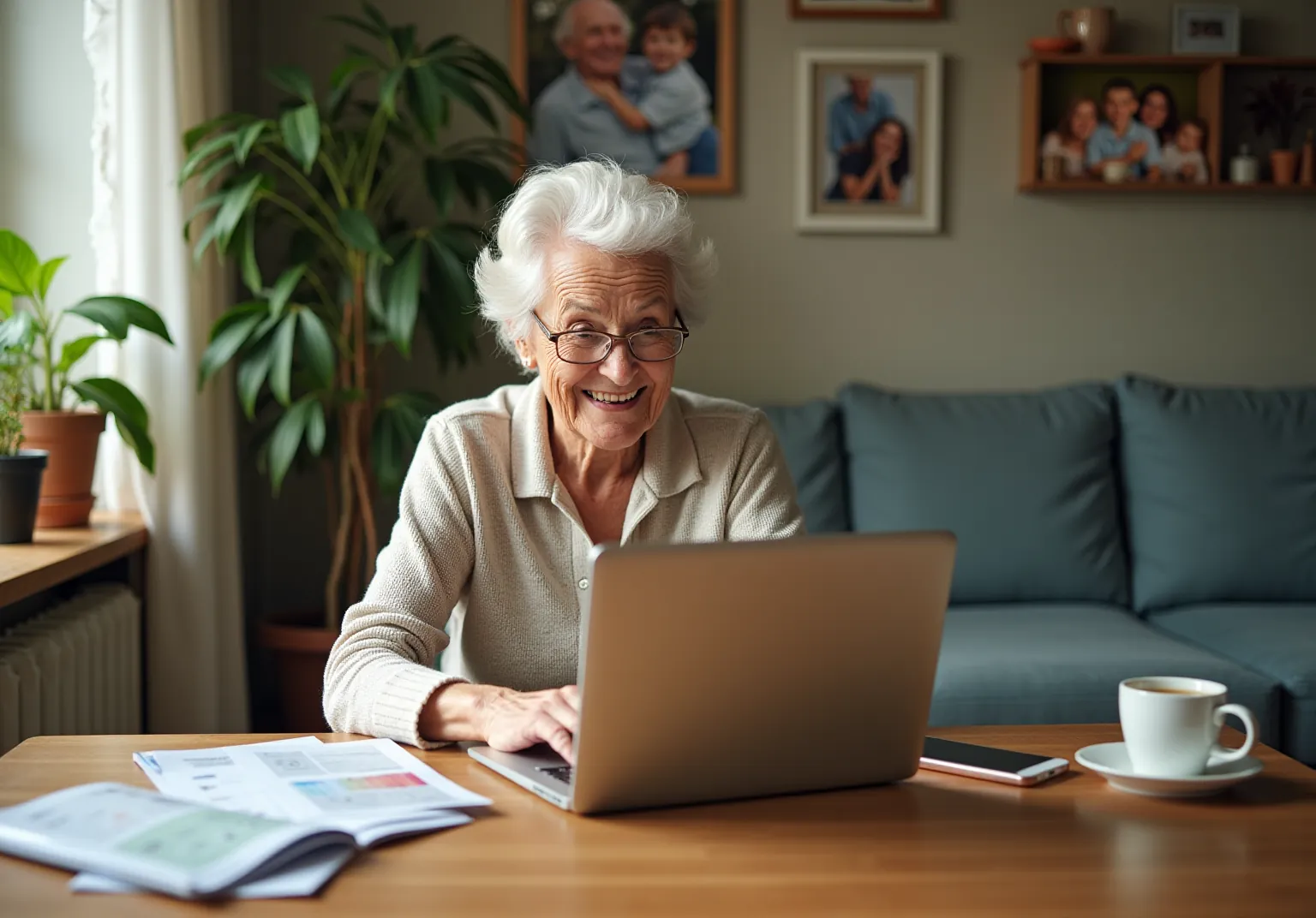
For families in our service areas
For families in our service areas, this guide explains caregiver support and how non-medical in-home caregiving can support care planning in East Idaho, Treasure Valley & Magic Valley, Northern Wasatch, North Central West Virginia, and Northeast Ohio.
Understanding Family Caregivers Can Help Old People
Many older adults find themselves at a crossroads when it comes to technology. They often feel overwhelmed by the very devices designed to connect them to the world. This digital landscape can be daunting, leading to frustration and a sense of isolation as they struggle to navigate computers and the internet.
This article explores ten actionable strategies that family caregivers can employ to empower seniors. By enhancing their confidence and independence in using technology, caregivers can transform this challenge into an opportunity for connection and growth. How can they achieve this?
By diving into these methods, readers will discover how to bridge the digital divide and foster a more inclusive, tech-savvy environment for older adults.
Happy to Help Caregiving: Personalized Support for Seniors Using Technology
Many older adults, often referred to as old people, face challenges when using computers, which can hinder their ability to communicate and access vital information. This struggle often leads to feelings of frustration and isolation, ultimately affecting their quality of life and independence at home.
Happy to Help Caregiving addresses this issue by providing tailored assistance that incorporates digital tools into their services. They focus on training older adults in the use of old people computer devices that facilitate communication and information access. By concentrating on personal requirements, support providers can help older adults feel more at ease and self-assured in utilizing technology.
This approach not only enhances their confidence but also significantly improves their autonomy and overall quality of life. With the right support, older adults can embrace technology through an old people computer, leading to a more connected and fulfilling life.

Address Security Concerns: Safeguarding Seniors Online
Elderly individuals using an old people computer are increasingly targeted by digital scams and phishing attempts, making them vulnerable in the online space. Family caregivers face the challenge of protecting their loved ones from these threats.
Agitate: Fraudsters often mimic reliable organizations, leading older adults to unknowingly share personal information. This can result in significant financial loss and emotional distress for both the elderly and their families. Without proper education, many older adults using an old people computer may struggle to identify dubious emails and messages, putting them at greater risk.
To combat these issues, caregivers must prioritize education about common scams related to old people using computers. Here are some actionable steps:
- Educate: Teach older adults how to recognize suspicious emails and messages.
- Secure: Implement strong passwords and enable two-factor authentication to enhance security.
- Update: Regularly update software and applications to protect against vulnerabilities.
- Encourage: Motivate elderly individuals to use secure networks, like private Wi-Fi, and to avoid sharing personal information online.
By instilling these practices, caregivers can empower older adults to navigate the online world with greater confidence and security.

Emphasize Patience: Take a Slow Approach to Learning
Introducing the old people computer to older adults presents a significant challenge. Many older adults face smartphone anxiety and age-related obstacles that can impede their learning process when using an old people computer. This anxiety can lead to frustration, making it difficult for old people computer users to embrace new technology.
To address this issue, caregivers should adopt a patient and empathetic approach. Clear explanations are essential, allowing older adults to practice at their own pace, which is crucial for building their confidence. Repetition plays a vital role; encouraging older adults to revisit concepts helps strengthen their understanding.
Positive reinforcement can significantly enhance motivation and enjoyment in the learning process. Celebrating small victories fosters a sense of accomplishment. Effective communication is key - using supportive phrases and actively listening to their concerns creates a trusting environment.
Moreover, caregivers should tackle any security issues related to devices, ensuring that older adults feel secure and knowledgeable. For instance, suggesting user-friendly tools like the ONY Phone app, which is designed specifically for old people computer use with large icons and simple functions, can greatly enhance their learning experience.
By fostering a supportive environment and employing techniques such as patience, repetition, and positive reinforcement, caregivers can facilitate a smoother transition into the digital realm for old people computer users. This ultimately empowers them to embrace technology with confidence.

Highlight Internet Safety: Navigating the Digital World Securely
Caregivers face a significant challenge in educating old people about safe internet practices related to computer use, especially in today’s digital landscape. Many older adults are unaware of the risks associated with online activities, making them vulnerable to scams. In fact, according to the FBI’s 2024 Internet Crime Report, older adults lost a staggering $4.8 billion to scams, underscoring the urgency of this issue.
To combat this problem, caregivers can take actionable steps to empower older adults. Teaching them to recognize secure websites-indicated by 'https://' in the URL and a padlock icon-can significantly reduce the risk of falling victim to scams. Encouraging the use of privacy settings on social media platforms helps safeguard personal information. Regular discussions about verifying sources before clicking on links can further protect against online threats.
Experts emphasize that keeping software updated is vital for maintaining security, as updates patch vulnerabilities that hackers could exploit. Caregivers should encourage older adults to enable automatic updates whenever possible. Additionally, fostering a culture of skepticism can empower older adults; they should be reminded to handle unexpected requests for personal information with care, even if they seem to come from trusted contacts.
Practical examples of effective internet safety practices include:
- Avoiding suspicious links in emails or texts
- Using strong, unique passwords for different accounts
A strong password should be at least 16 characters long, unique to the account, and include a mix of letters, numbers, and symbols. Resources like AARP's Fraud Watch Network provide valuable tools and classes aimed at enhancing digital literacy for old people using computers, helping them navigate the online world safely. By incorporating these practices into their daily habits, caregivers can assist older adults in feeling more assured and safe while utilizing devices.

Incorporate Games: Making Technology Learning Fun
Problem: Engaging older adults in digital learning can be challenging, especially as cognitive decline becomes a concern. Many caregivers struggle to find effective ways to stimulate cognitive function while introducing digital tools.
Agitate: This challenge can lead to frustration for both caregivers and older adults, as traditional learning methods may not resonate with them. Without proper engagement, older adults may miss out on the cognitive benefits that digital learning can provide, further isolating them from social interactions.
Incorporating games into digital learning can significantly enhance the experience for older people computer users. Basic online games, puzzles, and brain-training applications not only boost cognitive function but also familiarize them with digital tools. Caregivers can foster a sense of community by encouraging friendly competition or collaborative play, which enhances learning and promotes social interaction.
By integrating these strategies, caregivers can create a more engaging and supportive learning environment for older adults.

Adapt Devices: Tailoring Technology to Physical Needs
The problem is that many older adults have difficulties with old people computer usage due to their physical requirements. This can lead to frustration and decreased independence.
When devices are not tailored to their needs, older adults may feel overwhelmed and disengaged from using old people computer technology. This not only affects their ability to communicate but also limits their access to vital information and services.
Solution: Caregivers can take several steps to enhance usability:
- Larger Screens: Opt for devices with larger screens that are easier to read.
- Voice-Activated Assistants: Implement voice-activated technology for hands-free operation.
- Specialized Software: Use software designed to simplify navigation.
- Adjustable Font Sizes: Ensure that devices have adjustable font sizes for better visibility.
- High-Contrast Displays: Utilize high-contrast displays to enhance readability.
By making devices comfortable and accessible, caregivers empower older adults to interact with technology, such as old people computer, more effectively. This promotes autonomy and boosts their confidence in online engagements. Current trends highlight the growing accessibility of supportive devices, such as touchscreens with haptic feedback and simplified user interfaces, specifically designed for elderly users. These advancements not only improve accessibility but also enhance the overall quality of life for older adults by facilitating communication and access to information.

Guide to Free Resources: Enhancing Learning Opportunities for Seniors
Caregivers face a significant challenge: many older adults struggle with digital skills related to using an old people computer, which can hinder their independence and social connections. Recent studies reveal that 73% of old people computer users aged 65 and older need assistance with new devices. This highlights the urgent need for accessible training resources that can empower old people computer usage in the digital landscape.
Local libraries play a pivotal role in addressing this issue. They offer free classes tailored for old people computer skills, focusing on essential skills such as internet navigation, email usage, and social media engagement. Many libraries have implemented programs that not only teach basic old people computer skills but also provide hands-on assistance with devices like tablets and smartphones.
In addition to library offerings, online platforms like Cyber-Seniors and AARP provide valuable tutorials and support specifically aimed at old people computer users. These platforms frequently include accessible guides that enable older adults to learn old people computer skills at their own pace, promoting both independence and confidence in utilizing digital tools.
Effective community programs, such as tech support days at local libraries, have demonstrated success in improving old people computer skills. These initiatives not only offer guidance but also create a supportive atmosphere where older adults can practice using an old people computer and ask questions. By motivating older adults to explore old people computer resources, caregivers can assist them in navigating the digital landscape, ultimately enhancing their quality of life and social connections.
Caregivers should encourage elderly individuals to visit their nearby library to discover accessible classes that include learning about the old people computer. By utilizing these valuable resources, older adults can bridge the digital divide and gain the skills they need to thrive in today's technology-driven world using an old people computer.

Support Skill Maintenance: Keeping Technology Skills Sharp
Many older adults struggle to maintain and improve their digital skills on an old people computer, which can lead to feelings of isolation and disconnection from family and friends.
This lack of engagement with technology, especially in the context of old people computer usage, not only limits their social interactions but can also impact their overall well-being. Caregivers play a crucial role in bridging this gap, yet they often face challenges in motivating old people to use the computer regularly.
Solution: To address this issue, caregivers can take several actionable steps:
- Set Up Weekly Video Calls: Regular video calls with family members can enhance connections and provide practical opportunities for older adults to practice their skills.
- Encourage Digital Hobbies: Participating in online courses or using language-learning applications can boost interest and confidence in utilizing technology.
- Introduce New Applications: Caregivers can guide older adults through new tools, such as memory-assistive apps or shared calendars like Google Calendar, ensuring they feel comfortable and capable.
Consistent engagement with an old people computer is essential. Studies published in the Journal of Applied Gerontology indicate that regular use of an old people computer can significantly enhance social interaction and overall well-being among older adults. As Alek Argueta, a Connected Nation Digital Inclusion Trainer, states, "By adopting advancements, older adults can lead more rewarding, connected, and self-sufficient lives.

Encourage Community Support: Building a Learning Network for Seniors
Caregivers face a significant challenge: many older adults struggle to navigate the world of technology, particularly when it comes to using old people computers, which can lead to feelings of isolation. This issue is compounded by the fact that accessing digital tools can be difficult for old people computer users, hindering their ability to engage fully in learning opportunities. Without support, older adults may miss out on the benefits that an old people computer can bring to their lives.
To address these challenges, caregivers should actively encourage older adults to connect with peers who are also learning about the old people computer. Community centers, elder groups, and online forums are invaluable resources for support and motivation. Engaging in group classes or tech workshops focused on old people computer not only fosters a sense of belonging but also makes the learning process more enjoyable. For instance, initiatives like Tech Savvy Friends connect college students with old people computer users, promoting intergenerational relationships that enhance digital literacy.
Statistics show that 66% of older adults believe advancements in technology, including old people computer, enhance their lives, indicating a strong interest in learning and involvement. As Heather Nawrocki, Vice President of Fun and Fulfillment at AARP, notes, the Virtual Community Center aims to replicate the advantages of a physical community center, providing a space for older adults to learn together. This collaborative approach builds confidence and helps older adults adopt new tools, including old people computer, bridging the gap between isolation and social connection.
However, it is crucial to recognize the barriers many older adults face in accessing old people computer tools. Addressing these obstacles is essential for creating a supportive learning environment that empowers older adults to engage with technology, including the use of old people computer.

Write It Down: Creating Helpful References for Seniors
Navigating technology can be a significant challenge for those using an old people computer, often leading to frustration and a lack of confidence. With 56% of older adults using an old people computer to send text messages to loved ones daily, the need for clear, written instructions becomes evident. Caregivers play a crucial role in this process by creating step-by-step guides that utilize straightforward language and visuals to enhance understanding.
To address this issue, caregivers should focus on providing practical examples, such as:
- How to send a text message
- How to set up a video call
These resources should be readily available, empowering older adults to resolve problems independently and boosting their confidence in using digital tools. Additionally, encouraging seniors to record essential information, like passwords and app usage specifics, can serve as a helpful reference, aiding memory retention and reducing frustration.
As one educator wisely noted, "It’s always best to start small and have multiple sessions so you don’t give your students information overload." By implementing these strategies, caregivers can help older adults, especially with the old people computer, engage with technology more comfortably and independently. This support is particularly important as over half of individuals with smartphones or tablets use social media applications weekly. Moreover, with the increasing interest in telehealth solutions among seniors, these guides are becoming ever more relevant in their daily lives.

Taking the Next Steps
Empowering older adults to navigate the digital landscape is crucial for enhancing their independence and quality of life. However, many seniors face challenges in using technology, leading to feelings of frustration and isolation. Family caregivers play a pivotal role in bridging this technology gap, ensuring that seniors can confidently use computers and access the wealth of information and communication tools available online.
To address these challenges, caregivers can implement several effective strategies:
- Educating seniors about online security is essential to protect them from scams.
- A patient approach to learning is vital, as it fosters a supportive environment.
- Incorporating engaging methods, such as games, can enhance cognitive skills and make learning enjoyable.
- Adapting technology to meet physical needs and utilizing free community resources can further support seniors in their digital journey.
- Regular skill maintenance and creating helpful written references are also crucial in ensuring that older adults remain engaged and confident in their technology use.
Ultimately, the journey to digital literacy for older adults is not just about learning to use a computer; it is about fostering connections, enhancing autonomy, and improving overall well-being.
By actively engaging with and supporting seniors in their technology use, caregivers can help them unlock the many benefits that technology offers. This not only transforms their lives but also enriches their social interactions. Taking these steps equips older adults with essential skills and strengthens the bonds between them and their caregivers, paving the way for a more inclusive and supportive digital environment.
https://iframe.tely.ai/cta/eyJhcnRpY2xlX2lkIjogIjY5MjNiOWE3ZTUyZmU2NjM2Njg4Njc2OCIsICJjb21wYW55X2lkIjogIjY4ZWU1ZGNhNzMxNzYyNTU3ZjNjOTVjMSIsICJpbmRleCI6IG51bGwsICJ0eXBlIjogImFydGljbGUifQ==Frequently Asked Questions
What challenges do older adults face when using computers?
Older adults often struggle with using computers, leading to frustration and isolation, which can negatively impact their quality of life and independence at home.
How does Happy to Help Caregiving support older adults with technology?
Happy to Help Caregiving provides personalized assistance by training older adults in using computer devices that facilitate communication and access to information, enhancing their confidence and autonomy.
What are the security concerns for elderly individuals using computers?
Elderly individuals are increasingly targeted by digital scams and phishing attempts, making them vulnerable online. This can lead to financial loss and emotional distress.
What steps can caregivers take to protect older adults from online scams?
Caregivers can educate older adults on recognizing suspicious emails, implement strong passwords and two-factor authentication, regularly update software, and encourage secure online practices.
How can caregivers help older adults overcome smartphone anxiety?
Caregivers should adopt a patient and empathetic approach, provide clear explanations, allow practice at their own pace, use repetition, and offer positive reinforcement to build confidence.
What tools can enhance the learning experience for older adults using computers?
User-friendly tools like the ONY Phone app, which features large icons and simple functions, can greatly enhance the learning experience for older adults.
Why is effective communication important when teaching older adults about technology?
Effective communication fosters a trusting environment, allowing caregivers to support older adults better by actively listening to their concerns and using supportive phrases.
List of Sources
- Happy to Help Caregiving: Personalized Support for Seniors Using Technology
- HHS Launches New Caregiving AI Initiative to 'Spark Innovative Support' (https://hospicenews.com/2025/11/18/hhs-launches-new-caregiving-ai-initiative-to-spark-innovative-support)
- ‘Perfect storm’ hitting assisted living requires leveraging technology to improve outcomes (https://mcknightsseniorliving.com/news/perfect-storm-hitting-assisted-living-requires-leveraging-technology-to-improve-outcomes)
- Share of those 65 and older who are tech users has grown in the past decade (https://pewresearch.org/short-reads/2022/01/13/share-of-those-65-and-older-who-are-tech-users-has-grown-in-the-past-decade)
- AI is Reshaping Retirement, Caregiving, and Health (https://ltcnews.com/articles/ai-reshaping-retirement-caregiving-health)
- Inside the AI Companies Reshaping Caregiving for America’s 63 Million Caregivers (https://tech.yahoo.com/ai/meta-ai/articles/inside-ai-companies-reshaping-caregiving-173906213.html)
- Address Security Concerns: Safeguarding Seniors Online
- 25+ Best Cybersecurity Quotes (https://atera.com/blog/best-cybersecurity-quotes)
- Cybersecurity Awareness Month: Helping Older Adults Avoid Online Scams (https://about.fb.com/news/2025/10/cybersecurity-awareness-month-helping-older-adults-avoid-online-scams)
- 200 Inspirational Cybersecurity Quotes [2025] (https://digitaldefynd.com/IQ/inspirational-cybersecurity-quotes)
- Elder Fraud, in Focus | Federal Bureau of Investigation (https://fbi.gov/news/stories/elder-fraud-in-focus)
- $12.5 Billion Lost to Scams and Fraud in 2024, Older Adults Hit Hard (https://aarp.org/money/scams-fraud/older-adults-ftc-fraud-report)
- Emphasize Patience: Take a Slow Approach to Learning
- SeniorThrve (https://seniorthrive.com/blog/teaching-seniors-to-use-smartphones-step-by-step)
- Key lessons that I learned while I was teaching technology to seniors. [3/3] (https://uxplanet.org/key-lessons-that-i-learned-while-i-was-teaching-technology-to-seniors-3-3-3c2be2ebdad)
- Highlight Internet Safety: Navigating the Digital World Securely
- Older Adults Being Targeted By the Rise of Cybercrime (https://cybersecurityasia.net/rise-cyber-crime-targeting-older-adults)
- Online Safety Tips For Older Adults - National Cybersecurity Alliance (https://staysafeonline.org/articles/online-safety-tips-for-older-adults)
- Majority of Older Adults Experience Cyber Abuse in Their Lifetime | NORC at the University of Chicago (https://norc.org/research/library/majority-of-older-adults-experience-cyber-abuse-in-their-lifetim.html)
- Cybersecurity Awareness Month: Helping Older Adults Avoid Online Scams (https://about.fb.com/news/2025/10/cybersecurity-awareness-month-helping-older-adults-avoid-online-scams)
- Older adults in Denver get tech-savvy to fight growing threat of online scams (https://denver7.com/news/technology/older-adults-in-denver-get-tech-savvy-to-fight-growing-threat-of-online-scams)
- Incorporate Games: Making Technology Learning Fun
- Game-playing as an effective learning resource for elderly people: encouraging experiential adoption of touchscreen technologies - Universal Access in the Information Society (https://link.springer.com/article/10.1007/s10209-018-0638-0)
- The effect of a game training intervention on cognitive functioning and depression symptoms in the elderly with mild cognitive impairment: A randomized controlled trial - PMC (https://pmc.ncbi.nlm.nih.gov/articles/PMC8633942)
- The use of commercial computerised cognitive games in older adults: a meta-analysis - Scientific Reports (https://nature.com/articles/s41598-020-72281-3)
- (PDF) Effects of Tracking Technology on Daily Life of Persons With Dementia: Three Experimental Single-Case Studies (https://researchgate.net/publication/261923008\_Effects\_of\_Tracking\_Technology\_on\_Daily\_Life\_of\_Persons\_With\_Dementia\_Three\_Experimental\_Single-Case\_Studies)
- The effectiveness of digital gaming on the functioning and activity of older people living in long-term care facilities: a systematic review and meta-analysis - PMC (https://pmc.ncbi.nlm.nih.gov/articles/PMC10363061)
- Adapt Devices: Tailoring Technology to Physical Needs
- Assistive Technology Devices: Helping Seniors Age In Place » Online Graduate Programs in Innovative Aging Studies » College of Medicine » University of Florida (https://online.aging.ufl.edu/2025/03/19/assistive-technology-devices-helping-seniors-age-in-place)
- The Importance of Adaptive Equipment as We Age (https://concordialm.org/blog/the-importance-of-adaptive-equipment-as-we-age)
- Global Trends in Innovative Products for Elderly Care: From Smart Devices to Mobility Solutions - INTCO Medical (https://intcowheelchair.com/news/global-trends-in-innovative-products-for-elderly-care-from-smart-devices-to-mobility-solutions)
- Senior Technology Statistics: Key Facts (https://californiamobility.com/21-senior-technology-statistics)
- Innovative Technologies Transforming Senior Care & Living (https://sgmays.org/technologies-transforming-senior-care)
- Guide to Free Resources: Enhancing Learning Opportunities for Seniors
- 200 Inspirational E-Learning Quotes [2025] (https://digitaldefynd.com/IQ/inspirational-e-learning-quotes)
- 70 Powerful Quotes About Learning to Inspire You! (https://growthengineering.co.uk/70-quotes-about-learning)
- Older Adults and Technology Use (https://pewresearch.org/internet/2014/04/03/older-adults-and-technology-use)
- Technology Use Among Older Adults and Their Caregivers: Cross-Sectional Survey Study - PMC (https://pmc.ncbi.nlm.nih.gov/articles/PMC11084119)
- Senior Technology Statistics: Key Facts (https://californiamobility.com/21-senior-technology-statistics)
- Support Skill Maintenance: Keeping Technology Skills Sharp
- Technology use may keep older adults healthier (https://news.uga.edu/tech-use-linked-to-better-social-health)
- (https://connectednation.org/blog/how-technology-is-enhancing-the-well-being-of-older-adults)
- Seniors who use technology more socially engaged, study finds (https://mcknights.com/news/seniors-who-use-technology-more-socially-engaged-study-finds)
- How Older People Are Reaping Brain Benefits From New Tech (https://nytimes.com/2025/08/09/health/technology-cognition-older-people.html)
- Tech Tools for Seniors to Stay Connected | Home Matters (https://homematters.com/cincinnati-oh/blog/tech-tools-for-seniors-to-stay-connected)
- Encourage Community Support: Building a Learning Network for Seniors
- Older Americans Are Leveraging More Technology (https://aarp.org/pri/topics/technology/internet-media-devices/2025-technology-trends-older-adults)
- Senior Technology Statistics: Key Facts (https://californiamobility.com/21-senior-technology-statistics)
- Elderly And Technology Statistics: ZipDo Education Reports 2025 (https://zipdo.co/elderly-and-technology-statistics)
- AARP Joins With Nonprofit to Teach Tech to Older Adults (https://aarp.org/about-aarp/oats-senior-planet)
- The Citizen Newspaper Group (https://citizennewspapergroup.com/news/2023/may/17/tech-savvy-friends-bridges-tech-gap-seniors-help-y)
- Write It Down: Creating Helpful References for Seniors
- 10 Steps How to Teach Seniors Technology | Papa (https://papa.com/resources/blog/how-to-teach-technology-to-seniors)
- Senior Technology Statistics: Key Facts (https://californiamobility.com/21-senior-technology-statistics)
- Older Americans Are Leveraging More Technology (https://aarp.org/pri/topics/technology/internet-media-devices/2025-technology-trends-older-adults)
- Share of those 65 and older who are tech users has grown in the past decade (https://pewresearch.org/short-reads/2022/01/13/share-of-those-65-and-older-who-are-tech-users-has-grown-in-the-past-decade)
- Digital Skills for Smart Seniors Quotes by Warren Laine-Naida (https://goodreads.com/work/quotes/151606071)