For families in our service areas
For families in our service areas, this guide explains caregiving and how non-medical in-home caregiving can support care planning in East Idaho, Treasure Valley & Magic Valley, Northern Wasatch, North Central West Virginia, and Northeast Ohio.
The Importance of Get Computer Help
Seniors today increasingly rely on technology to stay connected and access essential services. However, many face significant hurdles that hinder their digital engagement. These challenges, ranging from physical limitations to cognitive barriers, underscore the need for effective computer assistance tailored to older adults.
Understanding these obstacles is crucial. They can lead to feelings of frustration and isolation, making it difficult for seniors to navigate the digital landscape. This article explores practical strategies and resources designed to empower seniors in their technology journey, addressing the underlying anxieties that often accompany their learning process.
So, how can caregivers and communities bridge the digital divide for seniors? By transforming frustration into confidence through targeted support and resources, we can help seniors embrace technology and enhance their quality of life.
Understand Common Technology Challenges for Seniors
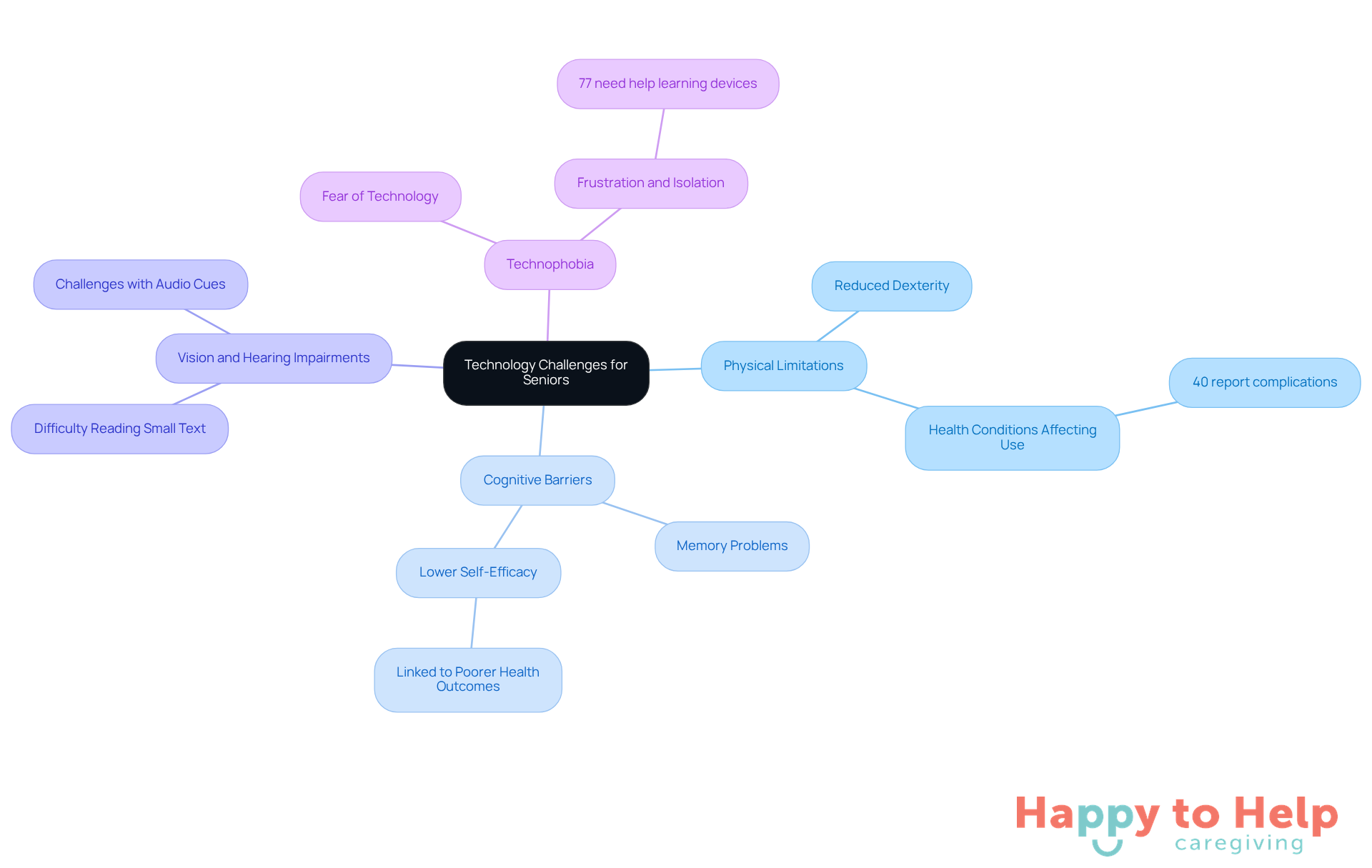
Seniors face a variety of challenges related to devices, making computer help for seniors essential to enhance their ability to use computers effectively. These challenges can be categorized into several key areas:
-
Physical Limitations: Many seniors experience reduced dexterity, complicating the use of small buttons or touchscreens. Approximately 40% of older adults report having a physical or health condition that complicates technology use. This highlights the need for ergonomic solutions that accommodate their needs.
-
Cognitive Barriers: Memory problems or cognitive decline can hinder older adults from remembering passwords or navigating complex interfaces. Studies indicate that lower self-efficacy in seeking health information is linked to poorer health outcomes. This underscores the necessity for supportive interventions, such as computer help for seniors, that can assist them in overcoming these barriers.
-
Vision and Hearing Impairments: Small text and low-contrast colors can be challenging to read, while audio cues may be missed by those with hearing loss. This demographic often struggles with online content that is not designed with accessibility in mind, making it crucial to prioritize inclusive design.
-
Technophobia: A fear of technology can discourage older adults from even attempting to use devices, leading to feelings of frustration and isolation. Research indicates that 77% of older adults require computer help for seniors to learn new electronic devices. This emphasizes the significance of patient guidance and support from caregivers.
Identifying these obstacles is essential for providing effective computer help for seniors as they navigate the online environment. By addressing these challenges, caregivers can foster a more inclusive setting that enables older adults to interact with digital tools confidently.
Moreover, as innovation continues to progress, advancements anticipated by 2025-such as AI-driven health monitoring systems and smart home solutions-will play a significant role in enhancing the digital experience for older adults.
Identify Resources for Computer Assistance
Seniors often encounter challenges when using technology, which underscores the importance of computer help for seniors to alleviate feelings of frustration and isolation. This issue not only affects their ability to stay connected with loved ones but also limits their access to essential services and information. Fortunately, there are numerous resources available, such as computer help for seniors, to assist them in overcoming these hurdles.
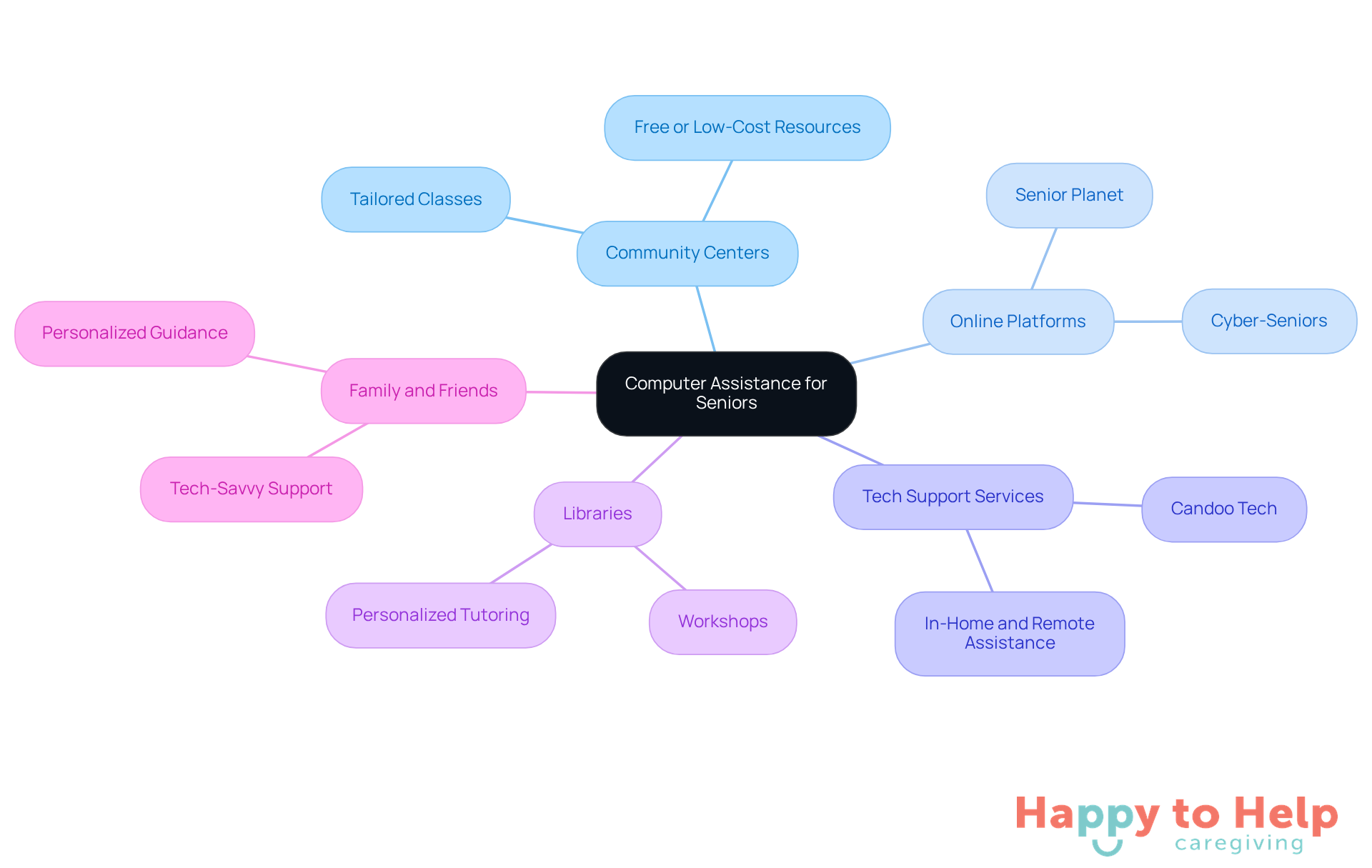
Many local community centers offer free or low-cost computer help for seniors through tailored classes. Check with local organizations for schedules to find a class that fits.
Online platforms, like Cyber-Seniors, provide computer help for seniors by offering free technology support and training specifically for older adults, making it easier for them to learn at their own pace.
Tech Support Services: Companies like Candoo Tech offer computer help for seniors through in-home and remote tech assistance. They help seniors resolve problems and acquire new skills, ensuring they feel more confident with technology.
-
Libraries: Numerous public libraries host complimentary workshops and personalized tutoring sessions for older adults aiming to enhance their computer abilities. These resources can offer computer help for seniors who are looking to improve their tech skills.
-
Family and Friends: Encourage older adults to connect with tech-savvy family members or friends who can provide personalized assistance and guidance. This support can make a significant difference in their learning experience.
Engage in Learning Opportunities for Technology Skills
For seniors, learning technology skills can be a significant challenge, highlighting the need for computer help for seniors to alleviate feelings of frustration and isolation. As technology continues to evolve, many older adults find themselves struggling to keep up, which can hinder their ability to connect with family and access essential services.
To address these challenges, here are some practical solutions:
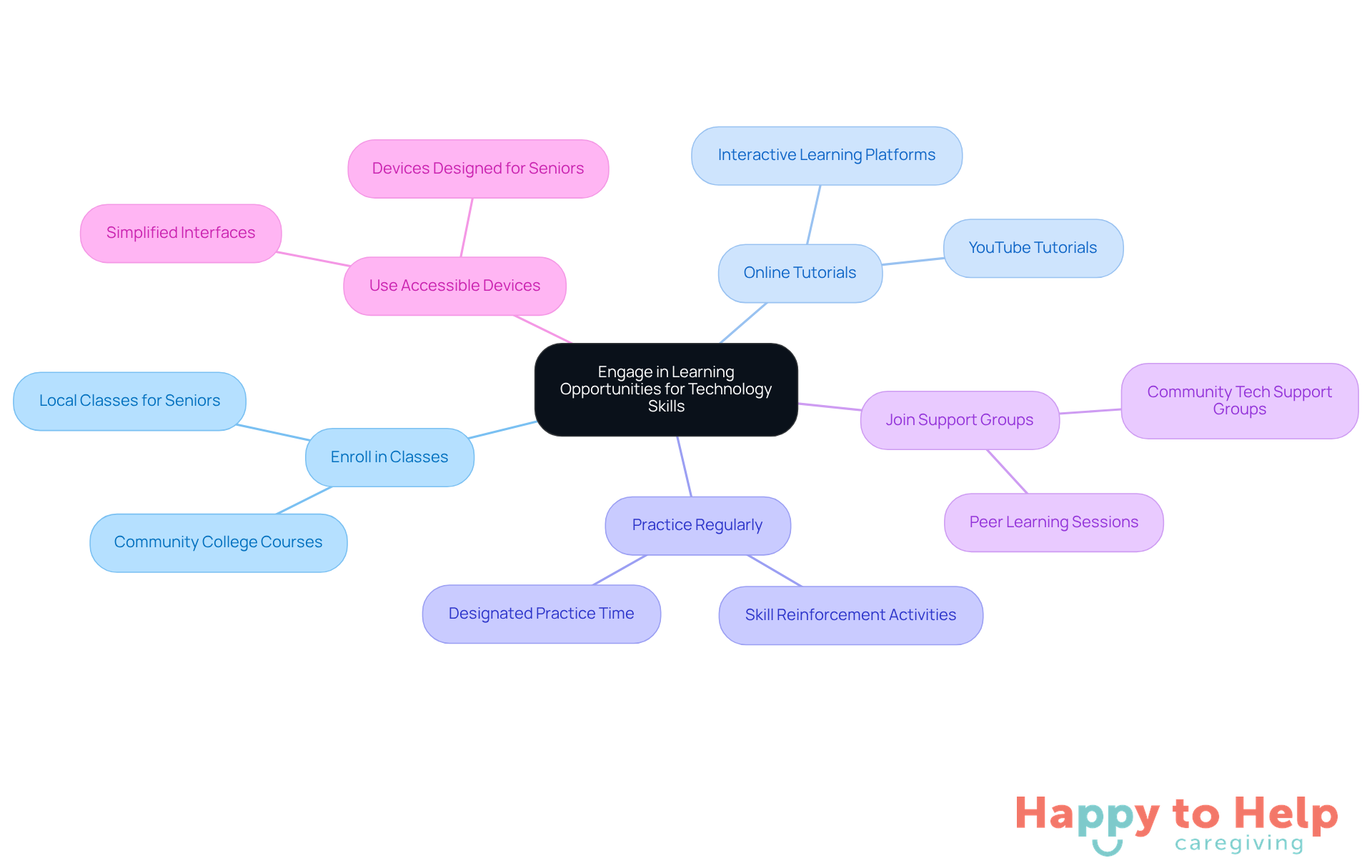
- Enroll in Classes: Seek out local classes tailored for seniors, such as those offered by Senior Planet or community colleges. These classes provide structured learning environments that can boost confidence.
- Online Tutorials: Platforms like YouTube offer a wealth of tutorials on basic computer skills. Encourage seniors to watch and practice along with these videos, making learning interactive and engaging.
- Practice Regularly: Designate time each week for seniors to practice their skills. Consistency is crucial for building confidence and proficiency.
- Join Support Groups: Many communities host tech support groups that provide computer help for seniors, allowing them to learn together and share experiences. This not only enhances learning but also reduces feelings of isolation.
- Use Accessible Devices: Consider devices specifically designed for older adults, featuring simplified interfaces. These tools can make learning and using technology much easier.
By implementing these strategies, caregivers can help seniors navigate the digital world more effectively, fostering independence and enhancing their quality of life.
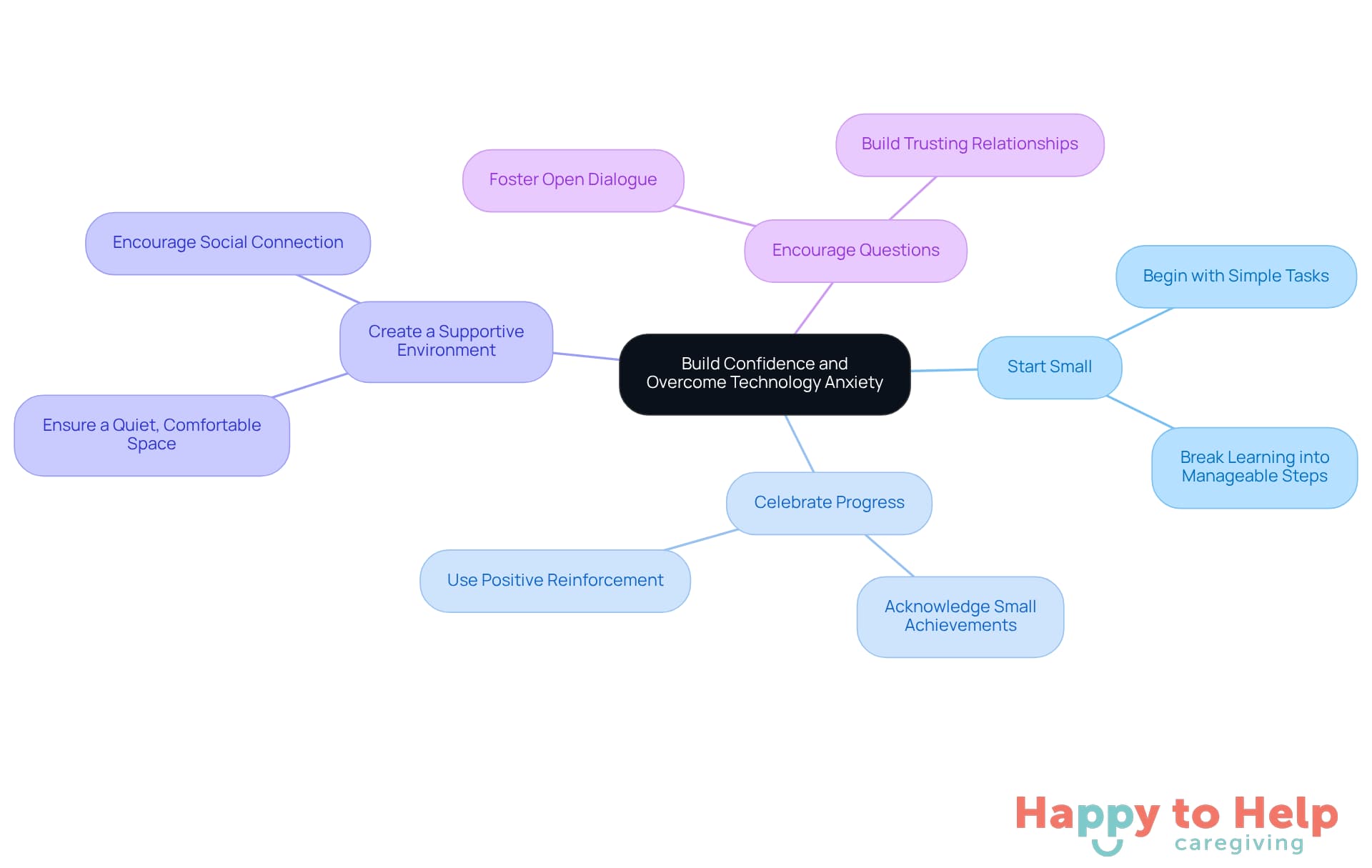
Build Confidence and Overcome Technology Anxiety
To provide computer help for seniors, it is essential to address the challenges they face in building confidence and reducing anxiety around technology. Many older adults struggle with digital literacy, which can lead to feelings of frustration and isolation. This issue not only affects their ability to connect with family and friends but also limits their access to vital information and services.
To tackle this problem, consider implementing the following strategies:
-
Start Small: Encourage seniors to begin with simple tasks, such as sending an email or browsing the internet, before tackling more complex activities. Research indicates that breaking down learning into manageable steps significantly enhances retention and reduces feelings of overwhelm. As Lisa M. Soederberg Miller observes, "Providing broadband and an electronic device is inadequate." Computer help for seniors through digital literacy training is particularly important within this segment of the population to overcome barriers and promote sustained engagement.
-
Celebrate Progress: Acknowledge and celebrate small achievements to boost their confidence and motivation. Positive reinforcement can lead to increased engagement and a willingness to tackle new challenges. In a study, older adults showed improvements in their digital literacy skills and confidence, underscoring the importance of recognizing their progress.
-
Create a Supportive Environment: Ensure that older adults have a quiet, comfortable space to practice without distractions. A conducive learning environment is crucial for fostering focus and reducing anxiety. Johnathan Wright emphasizes that "encouraging social connection and regular communication is important," which aligns with creating a supportive atmosphere for learning.
-
Encourage Questions: Foster an open dialogue where older individuals feel comfortable asking questions without fear of judgment. This method not only reduces anxiety but also encourages a more profound comprehension of the subject. The training program highlighted the significance of building trusting relationships, which can enhance the learning experience.
Utilize positive reinforcement by reminding seniors of the advantages of digital tools, such as staying connected with family and accessing information, and provide computer help for seniors to motivate them to continue learning. Highlighting these advantages can help shift their perspective on technology from a source of stress to a valuable tool for enhancing their quality of life. The "Digital Literacy Training for Low-Income Older Adults" case study illustrates how tailored training can lead to increased confidence and engagement among older adults.
Making the Right Choice
In the quest to provide effective computer help for seniors, it’s crucial to recognize the unique challenges they face in navigating technology. These challenges include physical, cognitive, and emotional barriers that often hinder their engagement with digital tools. This not only affects their ability to connect with loved ones but also impacts their overall quality of life.
To address these issues, caregivers can implement several key strategies:
- Identifying resources such as community classes and online platforms can significantly aid seniors in overcoming technology-related difficulties.
- Creating a supportive learning atmosphere is essential; this includes encouraging regular practice and celebrating small achievements, which can help reduce anxiety and foster a more positive relationship with technology.
Ultimately, fostering digital literacy among seniors goes beyond just teaching them how to use devices. It enhances their ability to connect with others and access vital information. By prioritizing computer help for seniors and implementing these supportive strategies, caregivers can transform technology from a source of frustration into a valuable tool for connection and independence. Embracing these practices can lead to a more engaged and fulfilling life for older adults in our increasingly digital world.
https://iframe.tely.ai/cta/eyJhcnRpY2xlX2lkIjogIjY5NDBhMjM5OTc5ZjhiMGM0MmQzYjU4MSIsICJjb21wYW55X2lkIjogIjY4ZWU1ZGNhNzMxNzYyNTU3ZjNjOTVjMSIsICJpbmRleCI6IG51bGwsICJ0eXBlIjogImFydGljbGUifQ==Frequently Asked Questions
What are the common technology challenges faced by seniors?
Seniors face challenges in several key areas, including physical limitations, cognitive barriers, vision and hearing impairments, and technophobia.
How do physical limitations affect seniors' use of technology?
Many seniors experience reduced dexterity, making it difficult to use small buttons or touchscreens. Approximately 40% of older adults report having a physical or health condition that complicates technology use.
What cognitive barriers do seniors encounter when using technology?
Memory problems or cognitive decline can hinder seniors from remembering passwords or navigating complex interfaces, leading to lower self-efficacy in seeking health information and poorer health outcomes.
How do vision and hearing impairments impact seniors' interaction with technology?
Seniors may struggle with small text, low-contrast colors, and audio cues, making online content difficult to access. This demographic often faces challenges with technology that is not designed with accessibility in mind.
What is technophobia and how does it affect older adults?
Technophobia is a fear of technology that can discourage older adults from using devices, leading to frustration and isolation. Research shows that 77% of older adults require computer help to learn new electronic devices.
Why is it important to address these challenges for seniors?
Identifying and addressing these obstacles is essential for providing effective computer help for seniors, enabling them to navigate the online environment confidently and fostering a more inclusive setting.
What future advancements might enhance the digital experience for older adults?
Anticipated advancements by 2025, such as AI-driven health monitoring systems and smart home solutions, are expected to significantly improve the digital experience for older adults.
List of Sources
- Understand Common Technology Challenges for Seniors
- How Technology will Transform Senior Care in 2025 (https://thecareconcierges.com/how-technology-will-transform-senior-care-in-2025)
- Despite growing interest, seniors face challenges adopting aging-in-place technology, survey finds (https://mcknightshomecare.com/news/despite-growing-interest-seniors-face-challenges-adopting-aging-in-place-technology-survey-finds)
- Digital divide as a determinant of health in the U.S. older adults: prevalence, trends, and risk factors - PMC (https://pmc.ncbi.nlm.nih.gov/articles/PMC11662839)
- Older Adults and Technology Use (https://pewresearch.org/internet/2014/04/03/older-adults-and-technology-use)
- Identify Resources for Computer Assistance
- Share of those 65 and older who are tech users has grown in the past decade (https://pewresearch.org/short-reads/2022/01/13/share-of-those-65-and-older-who-are-tech-users-has-grown-in-the-past-decade)
- Senior Technology Statistics: Key Facts (https://californiamobility.com/21-senior-technology-statistics)
- AARP Joins With Nonprofit to Teach Tech to Older Adults (https://aarp.org/about-aarp/oats-senior-planet)
- Riverside Senior Center Launches California's First Senior-Focused Digital Learning Hub (https://raincrossgazette.com/riverside-senior-center-launches-californias-first-senior-focused-digital-learning-hub)
- Older Americans Are Leveraging More Technology (https://aarp.org/pri/topics/technology/internet-media-devices/2025-technology-trends-older-adults)
- Engage in Learning Opportunities for Technology Skills
- Share of those 65 and older who are tech users has grown in the past decade (https://pewresearch.org/short-reads/2022/01/13/share-of-those-65-and-older-who-are-tech-users-has-grown-in-the-past-decade)
- Senior Technology Statistics: Key Facts (https://californiamobility.com/21-senior-technology-statistics)
- The use of technology for online learning among older adults in Hong Kong - PMC (https://pmc.ncbi.nlm.nih.gov/articles/PMC9284099)
- Get Free Tech and Digital Skills Training for Work (https://aarp.org/aarp-foundation/our-work/income/info-2022/aarp-foundation-to-provide-free-digital-skills-training.html)
- Build Confidence and Overcome Technology Anxiety
- Seniors Mental Health Technology (https://rochesterregional.org/hub/seniors-mental-health-technology)
- Digital Literacy Training for Low-Income Older Adults Through Undergraduate Community-Engaged Learning: Single-Group Pretest-Posttest Study (https://aging.jmir.org/2024/1/e51675)
- Knowledge, attitudes, and challenges related to technology among older adults living in older adult homes in Cyprus (https://tandfonline.com/doi/full/10.1080/28324897.2025.2527784)
- How Technology Helps Older Adults Stay Connected (https://christianhealthnj.org/news/2024/september/how-technology-helps-older-adults-stay-connected)
- Improving digital literacy in older adults is now a health imperative: report (https://mcknightsseniorliving.com/news/improving-digital-literacy-in-older-adults-is-now-a-health-imperative-report)