
For families in our service areas
For families in our service areas, this guide explains caregiving and how non-medical in-home caregiving can support care planning in East Idaho, Treasure Valley & Magic Valley, Northern Wasatch, North Central West Virginia, and Northeast Ohio.
Why Help Seniors with Technology Effectively Matters
Navigating the digital landscape can be a daunting task for many seniors, often leaving them feeling isolated and overwhelmed. This challenge not only affects their ability to connect with loved ones but also limits their access to vital information and services. As caregivers step into the role of tech mentors, they face the unique challenge of bridging the generational gap in technology use.
To empower older adults, caregivers must first understand their specific needs. This involves recognizing the barriers seniors face, such as unfamiliarity with devices and fear of making mistakes. By fostering a supportive learning environment, caregivers can help rebuild confidence and connection.
So, how can caregivers transform this learning experience into an engaging journey? Here are some effective strategies:
- Personalize Learning: Tailor lessons to the individual’s interests and pace.
- Use Clear Language: Avoid jargon and explain terms simply.
- Encourage Practice: Create opportunities for hands-on experience.
- Celebrate Progress: Acknowledge small victories to boost morale.
By implementing these strategies, caregivers can enhance digital skills in older adults while also fostering a sense of community and belonging.
Understand Seniors' Unique Technology Needs
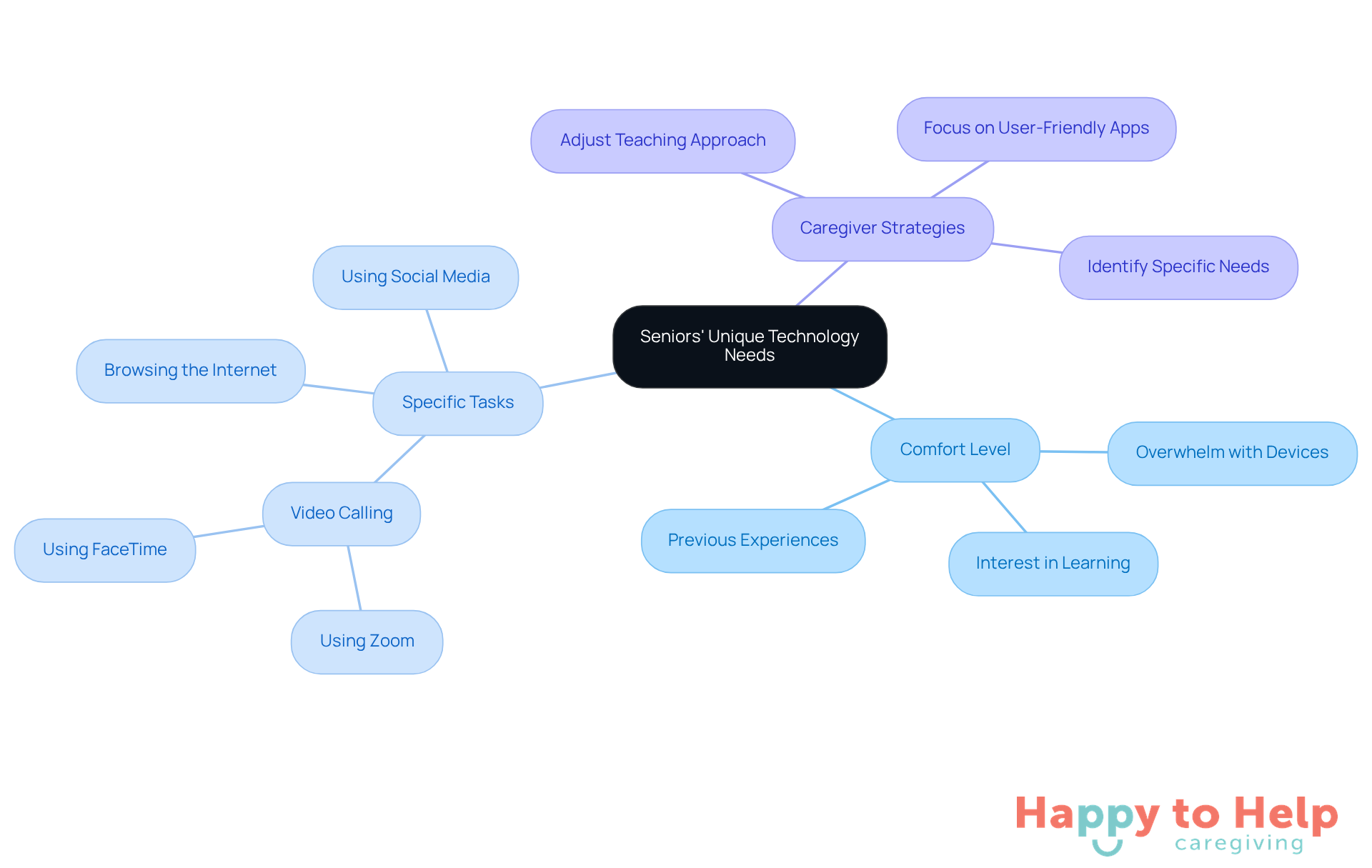
Evaluating an older adult's comfort level with technology is crucial. Many caregivers face the challenge of helping seniors with technology, as these individuals may feel overwhelmed by devices like smartphones, tablets, or computers. Understanding their previous experiences can shed light on their comfort level and specific tasks they want to accomplish, such as:
- Video calling family
- Browsing the internet
- Using social media
This understanding not only highlights the problem but also emphasizes its implications. If caregivers can identify these needs, they can adjust their teaching approach to help seniors with technology accordingly. For instance, if an older adult expresses interest in video calling, caregivers should prioritize teaching them how to use user-friendly apps like Zoom or FaceTime. By focusing on relevant skills, caregivers can help seniors with technology and empower older adults to navigate it with confidence.
Address Security and Safety Concerns
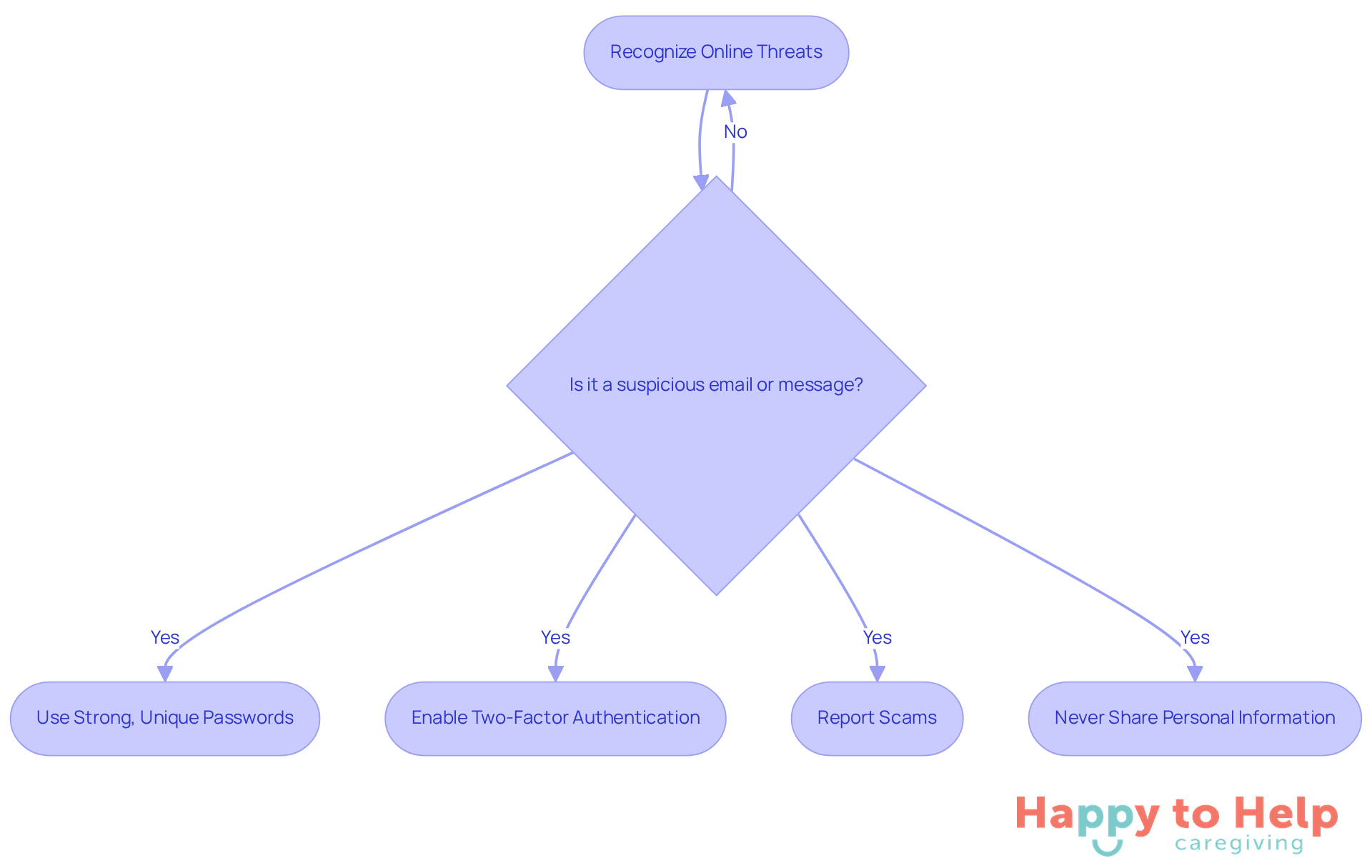
Online threats like phishing scams and identity theft pose significant risks to older adults. These threats can lead to financial loss and emotional distress, making it crucial for them to recognize suspicious emails or messages.
To combat these issues, older adults should be encouraged to:
- Use strong, unique passwords
- Enable two-factor authentication on their accounts
These steps can significantly enhance their online security.
Additionally, it's important to provide resources for reporting scams and to remind them never to share personal information with unknown sources. By taking these proactive measures, older adults can feel more secure and empowered as they help seniors with technology.
Pace Instruction to Match Learning Speed
Caregivers often face the challenge of effectively teaching seniors new skills to help seniors with technology, which can be daunting. Adjusting your teaching speed to match the senior's reactions is crucial. If the pace is too fast, it may lead to confusion and frustration, hindering their learning process.
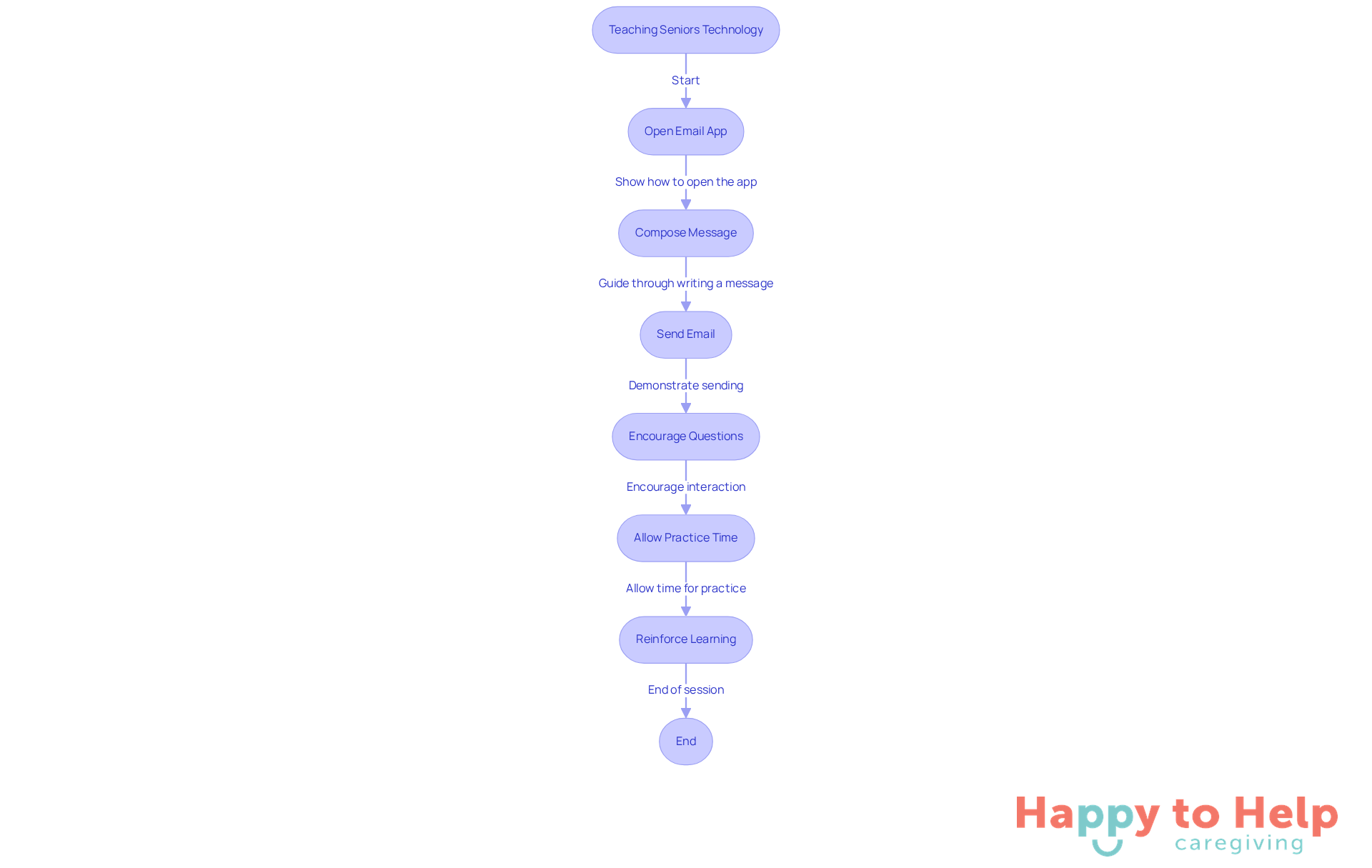
To address this, break down complex tasks into smaller, manageable steps. For instance, when teaching how to send an email:
- Start by showing them how to open the email app.
- Next, guide them through composing a message.
- Finally, demonstrate how to send it.
This gradual approach not only fosters confidence but also reinforces learning.
Allow ample time for practice between each step. Encourage questions to clarify any confusion, as this interaction can significantly enhance their understanding. By implementing these strategies, caregivers can help seniors with technology and create a supportive learning environment that empowers them to master new skills.
Provide Written Resources for Reference
Many older adults face challenges when using technology, which emphasizes the importance of programs that help seniors with technology to alleviate frustration and a sense of isolation. This issue not only affects their ability to connect with loved ones but also limits their access to essential services and information.
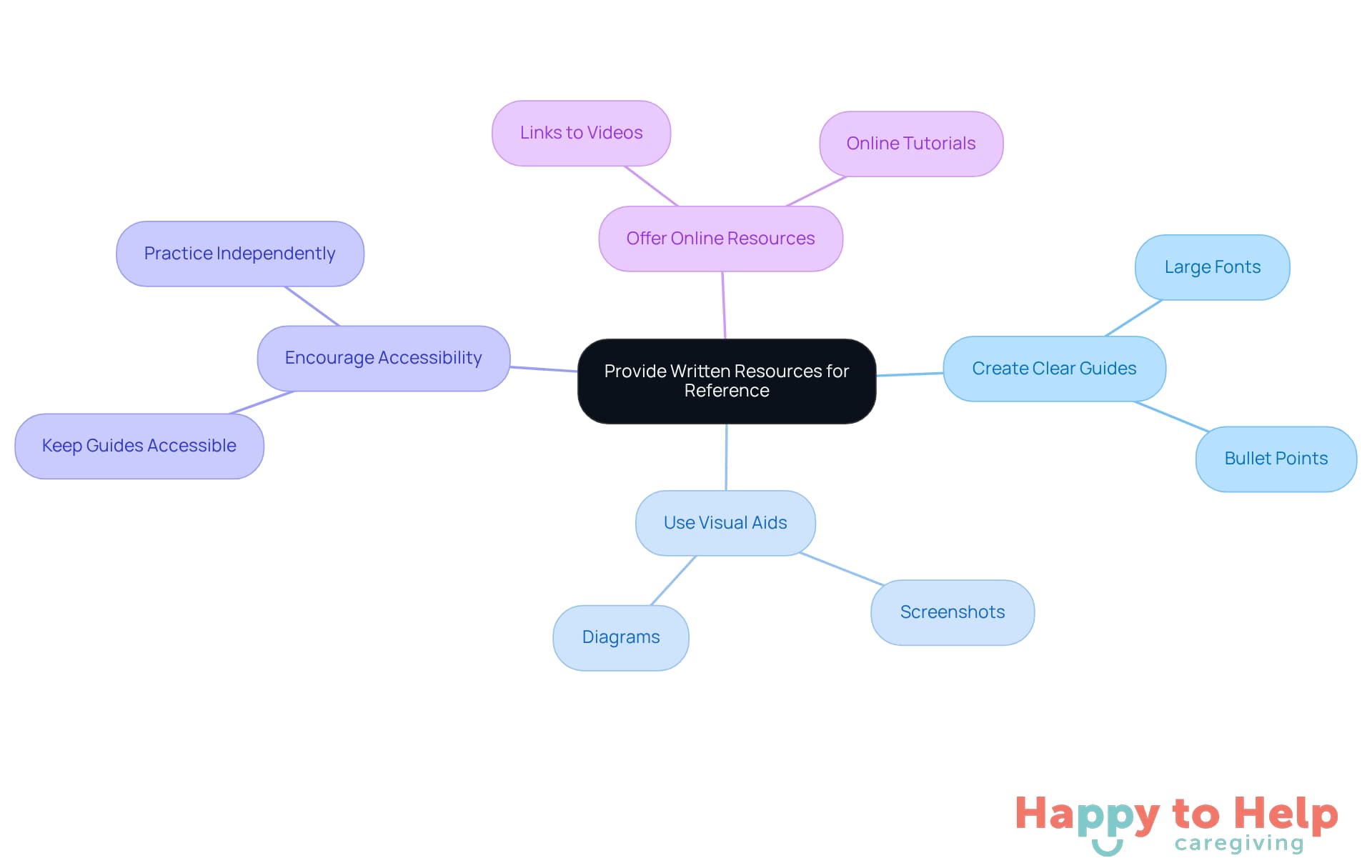
To address this, caregivers can create simple, clear guides that help seniors with technology by outlining the steps for using specific technologies. These guides should feature large fonts and bullet points for easy readability. Including screenshots or diagrams will help illustrate each step visually, making the process more intuitive.
It's also important to encourage older adults to keep these guides accessible for reference when they practice independently. Additionally, consider offering links to online resources or videos that they can utilize for further education. This approach not only empowers them but also helps seniors with technology, fostering confidence in their ability to navigate it.
Cultivate Patience and Understanding
Acquiring new tools can be a significant source of frustration for seniors, highlighting the need to help seniors with technology to prevent feelings of inadequacy. This challenge not only affects their confidence but can also hinder their willingness to engage with technology, making it important to help seniors with technology.
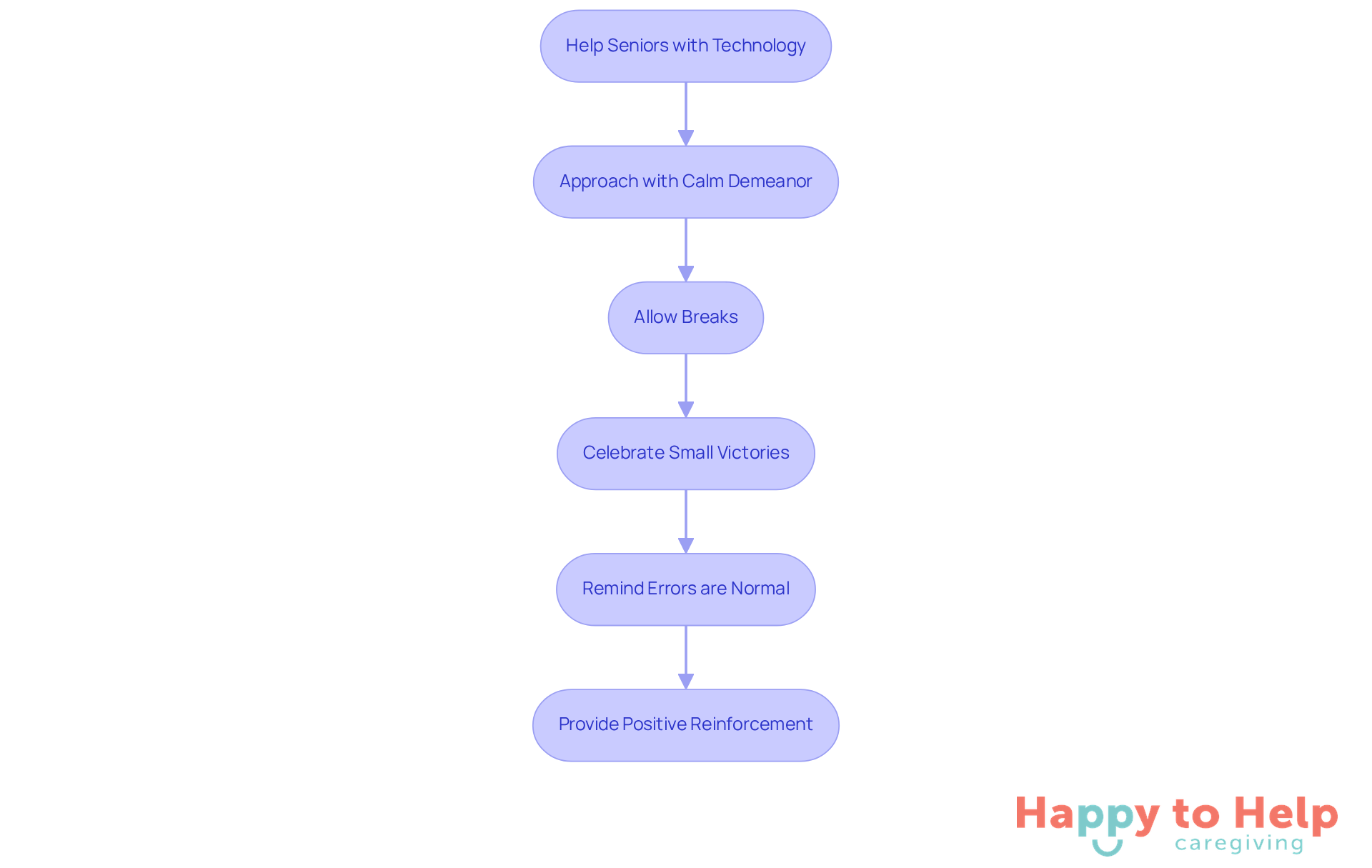
To help seniors with technology, it is essential for caregivers to approach each lesson with a calm demeanor. Allowing seniors to take breaks when they feel overwhelmed is crucial. Celebrating small victories, such as successfully sending their first email, reinforces their progress and builds confidence.
Remind them that errors are a normal aspect of the educational journey. Your patience will cultivate a nurturing atmosphere that promotes interaction with tools. Positive reinforcement is vital; it acknowledges their achievements and motivates them to continue learning.
By establishing an environment where older adults feel secure to investigate and inquire, you can help seniors with technology by enabling them to adopt digital tools with increased assurance and excitement.
Incorporate Games for Engaging Learning
Many seniors face challenges with technology, which is why we need to help seniors with technology. This can lead to feelings of frustration and isolation, as they may struggle to keep up with the digital world.
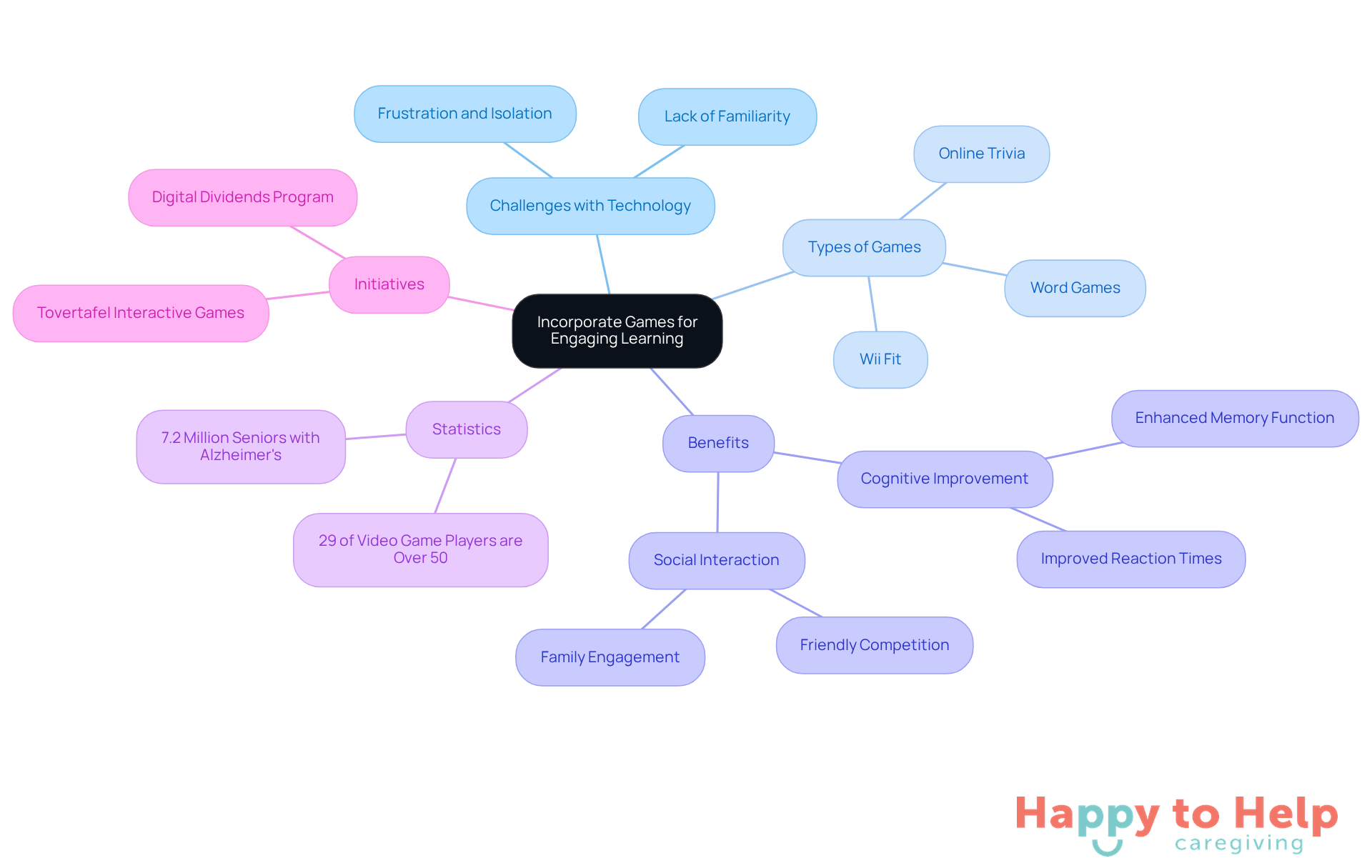
To address this issue, caregivers can select games that help seniors with technology by being easy to understand and relevant to the technology being taught. For example, online trivia games can help seniors become more comfortable with internet browsing, while word games can enhance their typing skills. Encouraging friendly competition or collaborative play with family members can further enhance social interaction, making the learning process enjoyable and effective.
Studies show that seniors who engage in educational gaming report improved cognitive abilities and greater ease with digital tools. In fact, 29% of video game players are over the age of 50, highlighting the importance of gaming for older adults. Initiatives like Digital Dividends exemplify effective engagement strategies as they help seniors with technology by connecting older adults with college students for technology education through gaming.
As Donna Wrabel, Co-Owner of At Your Side Home Care, states, "Video games can offer vital social interaction for older adults." Incorporating games like 'Wii Fit' or 'Ring Fit Adventure' can further enhance the learning experience, making it both fun and beneficial.
Adapt Technology for Physical Accessibility
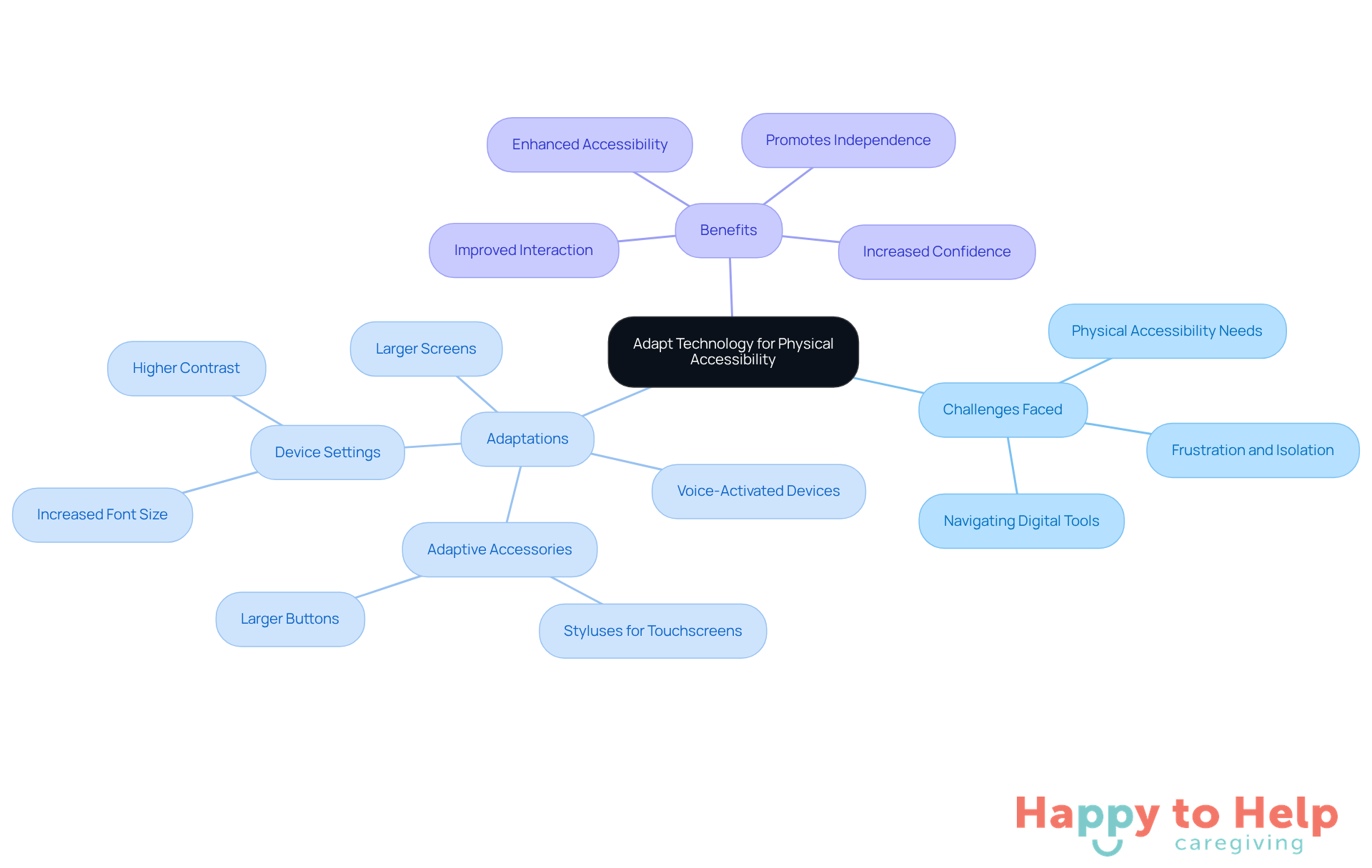
Older adults often face challenges when engaging with technology, which is why it is important to help seniors with technology, especially regarding physical accessibility needs. This can lead to frustration and a sense of isolation, as many struggle to navigate digital tools effectively. With around 43.9% of individuals aged 65 and above reporting a disability, it’s crucial to address these barriers to enhance their interaction with technology.
To help seniors with technology, consider implementing adaptations such as:
- Larger screens
- Voice-activated devices
These options can significantly enhance accessibility. Additionally, adaptive accessories like styluses for touchscreens can assist those with fine motor difficulties. Adjusting device settings to increase font size and contrast can further enhance visibility, making it easier for seniors to read and interact with content.
For individuals who struggle with fine motor skills, devices featuring:
- Larger buttons
- Touchscreens that respond to light taps
are ideal. According to Lynda Jennings, an occupational therapist, "Successfully aging in place requires thoughtful planning and support, including the involvement of caregivers, a strong social network, and proactive strategies to address potential health challenges."
Moreover, successful instances of voice-activated devices, like smart speakers, have demonstrated improved interaction and accessibility for older adults. These tools can become valuable assets in their daily routines, promoting independence and self-assurance. By making these considerate adjustments, caregivers can help seniors with technology, enabling older adults to engage more effectively with digital tools.
Encourage Ongoing Practice and Skill Maintenance
Establishing a routine for practice sessions is a significant challenge for seniors with technology skills. Many older adults struggle with new devices, and statistics reveal that 77% indicate they would need assistance to help seniors with technology. This highlights the need for structured practice sessions that can help bridge the gap in their digital literacy.
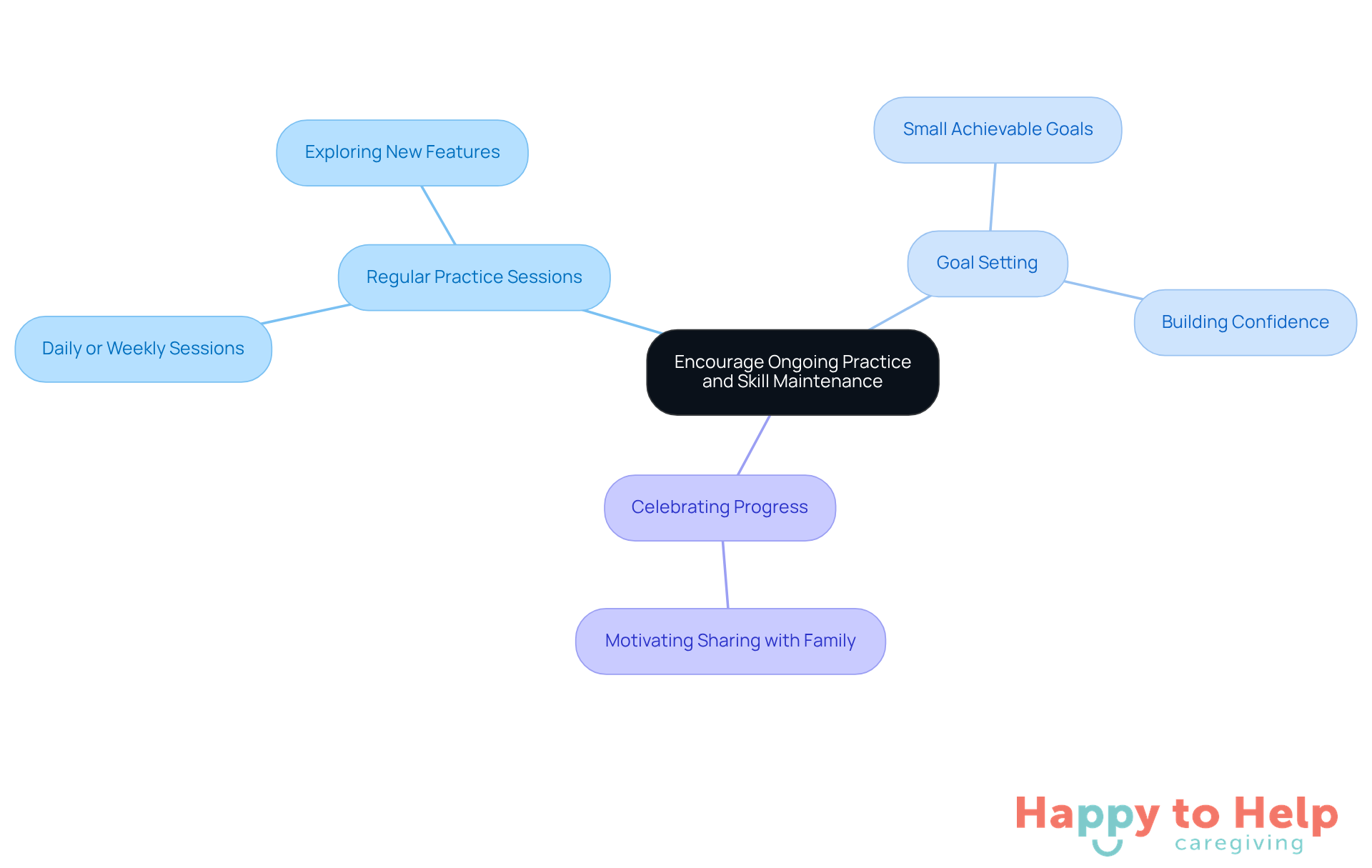
To address this issue, caregivers can help seniors with technology by implementing regular practice sessions, whether daily or weekly. These sessions should help seniors with technology by encouraging exploration of new features on devices and allowing them to revisit previously learned techniques. Setting small, achievable goals - like sending a message to a family member or browsing a new website - can significantly enhance their confidence.
Celebrating progress is essential in this process. It not only reinforces their learning but also motivates them to share their experiences with family members, fostering a supportive network. As educators emphasize, regular practice and goal-setting are crucial for sustaining skills among older adults. This approach ensures they remain engaged and empowered in their digital lives.
Connect with Community Resources for Support
Many older adults face challenges in accessing technology, which is why it's important to help seniors with technology to prevent feelings of isolation and frustration. This issue is compounded by the rapid pace of technological change, which highlights the need to help seniors with technology to prevent them from feeling left behind.
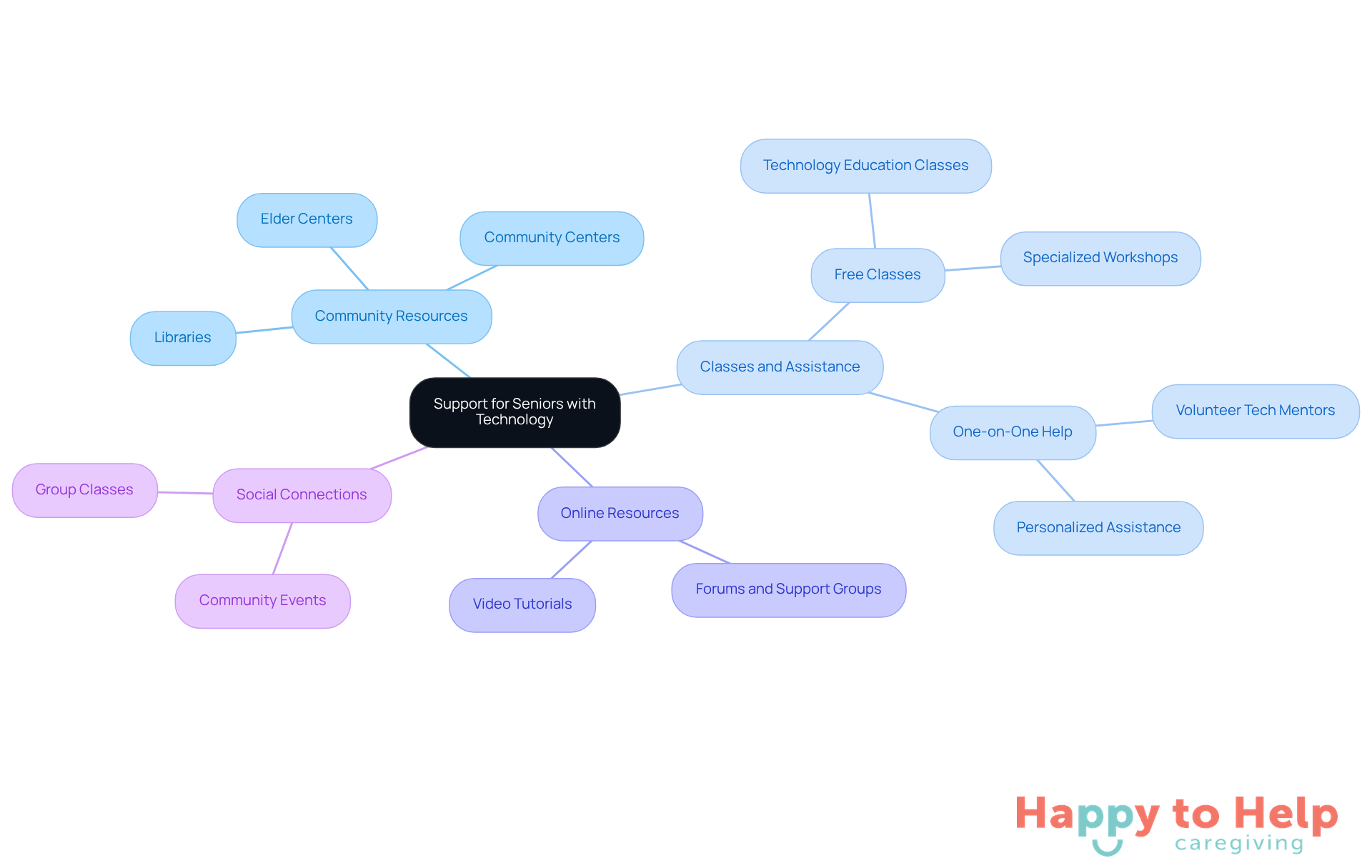
Fortunately, nearby institutions like libraries, community centers, and elder centers offer valuable resources. Many of these organizations offer free or low-cost classes and one-on-one assistance to help seniors with technology tailored for older adults. Encouraging participation in group classes helps seniors with technology and fosters social connections, creating a supportive learning environment.
Additionally, exploring online resources and forums can be beneficial. These platforms allow seniors to ask questions and share experiences with peers, further enhancing their learning journey. By taking advantage of these opportunities, older adults can gain confidence and help seniors with technology skills.
Taking the Next Steps
Helping seniors navigate the world of technology presents a significant challenge. Many older adults find themselves overwhelmed by devices and digital platforms, which can hinder their ability to connect and engage with loved ones. This digital divide not only affects their independence but also limits their social interactions and access to vital information.
To address these challenges, caregivers can implement several key strategies:
- Assess each senior's comfort level with technology. Understanding their unique needs allows for tailored support.
- Address any security concerns they may have, as these can be major barriers to engagement.
- Pace instruction to match individual learning speeds; not everyone learns at the same rate, and patience is essential.
- Incorporate enjoyable elements, such as games, to make the learning process more engaging.
- Ensure physical accessibility to devices; adaptations can help make technology more approachable for everyone.
- Encourage regular practice and foster community support to reinforce these skills, empowering seniors to maintain their newfound abilities.
Ultimately, the goal is to bridge the digital divide for older adults, enabling them to participate fully in today’s connected world. By implementing these practices, caregivers not only enhance the technological skills of seniors but also enrich their lives, fostering independence and social connections. The journey to becoming tech-savvy may have its challenges, but with patience, understanding, and the right resources, seniors can confidently embrace the technology that keeps them connected to their loved ones and the world around them.
https://iframe.tely.ai/cta/eyJhcnRpY2xlX2lkIjogIjY5M2Y1MDg5Yjk3NTAxMmE2YWRmZmQxMCIsICJjb21wYW55X2lkIjogIjY4ZWU1ZGNhNzMxNzYyNTU3ZjNjOTVjMSIsICJpbmRleCI6IG51bGwsICJ0eXBlIjogImFydGljbGUifQ==Frequently Asked Questions
Why is it important to evaluate an older adult's comfort level with technology?
Evaluating an older adult's comfort level with technology is crucial because it helps caregivers understand their previous experiences and specific tasks they want to accomplish, such as video calling family, browsing the internet, or using social media.
How can caregivers help seniors who feel overwhelmed by technology?
Caregivers can help seniors by identifying their specific technology needs and adjusting their teaching approach accordingly. For example, if a senior is interested in video calling, caregivers should prioritize teaching them how to use user-friendly apps like Zoom or FaceTime.
What are some common security concerns for older adults using technology?
Common security concerns for older adults include online threats like phishing scams and identity theft, which can lead to financial loss and emotional distress.
What steps can older adults take to enhance their online security?
Older adults can enhance their online security by using strong, unique passwords and enabling two-factor authentication on their accounts. They should also be encouraged to recognize suspicious emails or messages and never share personal information with unknown sources.
How should caregivers pace their instruction when teaching seniors new technology skills?
Caregivers should adjust their teaching speed to match the senior's reactions, ensuring the pace is not too fast to avoid confusion and frustration. Breaking down complex tasks into smaller, manageable steps can also help facilitate learning.
What is an effective strategy for teaching seniors how to send an email?
An effective strategy for teaching seniors how to send an email includes breaking the process down into smaller steps: first, show them how to open the email app; next, guide them through composing a message; and finally, demonstrate how to send it.
How can caregivers create a supportive learning environment for seniors?
Caregivers can create a supportive learning environment by allowing ample time for practice between each step, encouraging questions to clarify confusion, and fostering interaction to enhance understanding.
List of Sources
- Understand Seniors' Unique Technology Needs
- The Rise of Tech-Savvy Seniors: How Older Adults are Adapting in 2025 (https://textmygov.com/news/tech-savvy-seniors)
- Technology use may keep older adults healthier (https://news.uga.edu/tech-use-linked-to-better-social-health)
- Older Adults Embracing Technology, AARP Reports (https://forbes.com/sites/jamiegold/2024/01/23/older-adults-embracing-technology-aarp-reports)
- Improving digital literacy in older adults is now a health imperative: report (https://mcknightsseniorliving.com/news/improving-digital-literacy-in-older-adults-is-now-a-health-imperative-report)
- Seniors and Technology- Embracing the Digital Age (https://mylifesite.net/blog/post/seniors-and-technology-embracing-the-digital-age)
- Address Security and Safety Concerns
- What Are the Top Payment Scams Affecting Older Adults? (https://ncoa.org/article/what-are-the-top-online-scams-targeting-older-adults)
- False alarm, real scam: how scammers are stealing older adults’ life savings (https://ftc.gov/news-events/data-visualizations/data-spotlight/2025/08/false-alarm-real-scam-how-scammers-are-stealing-older-adults-life-savings)
- Cybersecurity Awareness Month: Helping Older Adults Avoid Online Scams (https://about.fb.com/news/2025/10/cybersecurity-awareness-month-helping-older-adults-avoid-online-scams)
- Elder Fraud, in Focus | Federal Bureau of Investigation (https://fbi.gov/news/stories/elder-fraud-in-focus)
- State launches program to protect seniors from scams | Jacksonville Today (https://jaxtoday.org/2025/11/18/operation-senior-shield-scams)
- Pace Instruction to Match Learning Speed
- 70 Powerful Quotes About Learning to Inspire You! (https://growthengineering.co.uk/70-quotes-about-learning)
- The Importance of Tech Education for Older Adults (https://usnews.com/news/health-news/articles/2020-11-25/the-importance-of-technology-education-for-seniors)
- 10 Steps How to Teach Seniors Technology | Papa (https://papa.com/resources/blog/how-to-teach-technology-to-seniors)
- AARP Tech Trends and Older Adults: Digital Literacy Skills Critical to Tech Usage — Candoo Tech (https://candootech.com/blog-page/aarp-tech-trends-and-older-adults-digital-literacy-skills-critical-to-tech-usage)
- Older Adults and Technology Use (https://pewresearch.org/internet/2014/04/03/older-adults-and-technology-use)
- Provide Written Resources for Reference
- Empowering Older Adults to Use Technology (https://states.aarp.org/connecticut/empowering-older-adults-to-use-technology)
- Digital Literacy Boosts Older Adults’ Home Care Access (https://bioengineer.org/digital-literacy-boosts-older-adults-home-care-access)
- People age 65 and older more likely than younger people to read for personal interest (https://bls.gov/opub/ted/2018/people-age-65-and-older-more-likely-than-younger-people-to-read-for-personal-interest.htm)
- 4 Essential Resources For Seniors To Start Learning (https://thetraceseniorliving.com/louisiana-senior-living-blog/4-essential-resources-for-seniors-to-start-learning)
- Cultivate Patience and Understanding
- Patient Technology Guidance for Seniors: Mastering Tech with Patience - New England Low Vision (https://nelowvision.com/patient-technology-guidance-for-seniors-mastering-tech-with-patience?srsltid=AfmBOoqsn\_gw5ypi2Pvzu-B4SydjiQSj4m4bZUh1y-c4MsqZdk8PorI-)
- Improving digital literacy in older adults is now a health imperative: report (https://mcknightsseniorliving.com/news/improving-digital-literacy-in-older-adults-is-now-a-health-imperative-report)
- AARP Tech Trends and Older Adults: Digital Literacy Skills Critical to Tech Usage — Candoo Tech (https://candootech.com/blog-page/aarp-tech-trends-and-older-adults-digital-literacy-skills-critical-to-tech-usage)
- Senior Technology Statistics: Key Facts (https://californiamobility.com/21-senior-technology-statistics)
- Youth Teaching Tech To Seniors Fosters Generational Connections (https://npr.org/2020/01/20/796583594/youth-teaching-tech-to-seniors-fosters-generational-connections)
- Incorporate Games for Engaging Learning
- Technology for Seniors: The Benefits of Video Games and Virtual Reality (https://blog.thegoodmangroup.com/best-video-games-for-seniors)
- Why Seniors Are Playing Video Games In Record Numbers (https://houston-homecare.com/in-home-care-why-seniors-are-playing-video-games-in-record-numbers)
- Not just kid stuff: Advances in video games, gaming, benefit older adults, operator says (https://mcknightsseniorliving.com/news/not-just-kid-stuff-advances-in-video-games-gaming-benefit-seniors-care-operator-says)
- 10 Benefits of Gaming for Seniors: Enhance Well-Being Today - Happy To Help (https://happytohelpcaregiving.com/10-benefits-of-gaming-for-seniors-enhance-well-being-today)
- Adapt Technology for Physical Accessibility
- 2025 AgeTech Showcases the Latest Technology for Seniors (https://thegoodlifesv.com/story/2025/03/01/lifestyles/2025-agetech-showcases-the-latest-technology-for-seniors/1311.html)
- Data Insights on Elderly Disability and Accessibility | EZ Living (https://ezlivingconcepts.com/elderly-disability-and-accessibility-a-data-driven-overview)
- Innovative new technology helps seniors age in place (https://universityofcalifornia.edu/news/innovative-new-technology-helps-seniors-age-place)
- Empowering Aging: How Technology Enhances Independence and Safety for Older Adults - Summit Professional Education (https://summit-education.com/blog/general/empowering-aging-how-technology-enhances-independence-and-safety-for-older-adults)
- Disabled and Elderly Assistive Technology Market Size - 2034 (https://custommarketinsights.com/report/disabled-and-elderly-assistive)
- Encourage Ongoing Practice and Skill Maintenance
- Older Adults and Technology Use (https://pewresearch.org/internet/2014/04/03/older-adults-and-technology-use)
- The Importance of Tech Education for Older Adults (https://usnews.com/news/health-news/articles/2020-11-25/the-importance-of-technology-education-for-seniors)
- New Report Finds Growing Interest in Tech for Aging Well At Home (https://press.aarp.org/2025-1-8-New-Report-Finds-Growing-Interest-Tech-Aging-Well-Home)
- The Importance Of Tech Training For Seniors (https://discoveryvillages.com/senior-living-blog/the-importance-of-tech-training-for-seniors)
- How Technology Helps Older Adults Stay Connected (https://christianhealthnj.org/news/2024/september/how-technology-helps-older-adults-stay-connected)
- Connect with Community Resources for Support
- AARP Joins With Nonprofit to Teach Tech to Older Adults (https://aarp.org/about-aarp/oats-senior-planet)
- Spectrum Digital Education Program Teaches Digital Literacy to Seniors in Florence, South Carolina | Charter Communications (https://corporate.charter.com/newsroom/spectrum-digital-education-empowers-seniors-through-digital-literacy)
- New Report Finds Growing Interest in Tech for Aging Well At Home (https://press.aarp.org/2025-1-8-New-Report-Finds-Growing-Interest-Tech-Aging-Well-Home)
- Cyber-Seniors - Cyber-Seniors Inc. (https://cyberseniors.org)
- Older adults gain confidence in tech through free classes provided by The Senior Source (https://dallasnews.com/fwddfw/2024/06/21/older-adults-gain-confidence-in-tech-through-free-classes-provided-by-the-senior-source)