Master Your Caregiving: Use a Caregiver Schedule App Effectively
For families in our service areas
For families in our service areas, this guide explains caregiver support and how non-medical in-home caregiving can support care planning in East Idaho, Treasure Valley & Magic Valley, Northern Wasatch, North Central West Virginia, and Northeast Ohio.
The Importance of Master Your Caregiving: Use a Caregiver
Caregiving is a rewarding yet demanding role, often fraught with challenges that can lead to disorganization and stress. Caregivers juggle numerous responsibilities, which can quickly become overwhelming. This disarray not only affects their well-being but also the quality of care they provide.
Fortunately, caregiver scheduling apps offer a beacon of hope. These tools streamline tasks and help caregivers manage their responsibilities more effectively. But how can caregivers harness these apps to alleviate their burdens and enhance their caregiving experience? This guide explores essential features, evaluation methods, and practical strategies for maximizing the benefits of caregiver scheduling apps.
Understand the Purpose of Caregiver Scheduling Apps
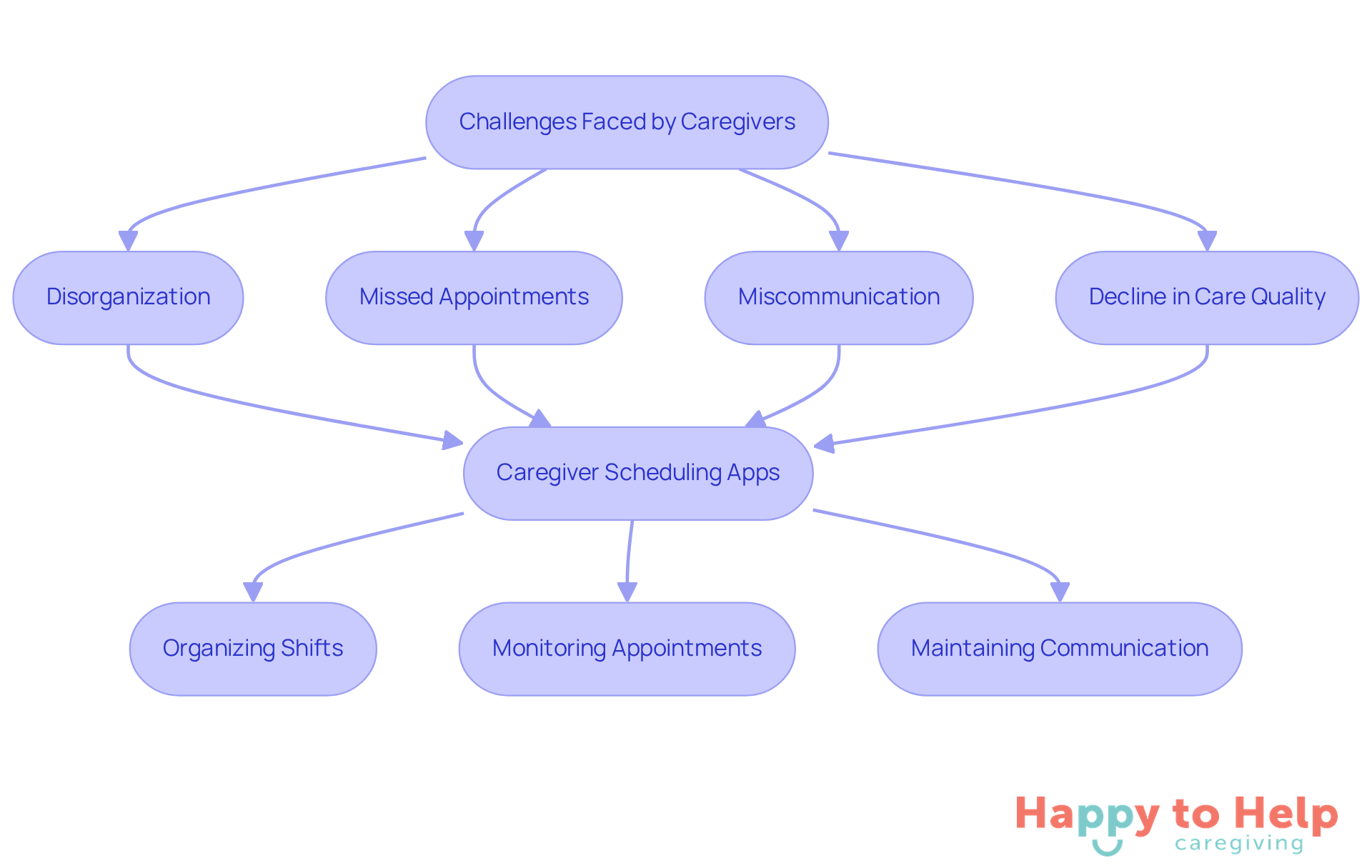
Caregivers often struggle with organizing their responsibilities, leading to increased stress and potential gaps in care. This disorganization can result in missed appointments, miscommunication, and ultimately, a decline in the quality of care provided to clients.
To address these challenges, caregiver schedule apps have been developed for support providers. These caregiver schedule apps simplify the organization of caregiving responsibilities, enabling providers to effectively allocate their time and resources. They assist in arranging shifts, monitoring appointments, and maintaining communication among support providers and family members.
By utilizing the caregiver schedule app, caregivers can better coordinate care, reduce stress, and enhance the quality of life for their clients. For instance, a provider can easily view their schedule, receive reminders for appointments, and communicate changes in real-time. This capability is essential for delivering consistent care and ensuring that clients receive the attention they need.
Identify Essential Features for Your Caregiver Schedule App
When selecting a caregiver schedule app, caregivers encounter significant challenges that can affect their emotional health and overall effectiveness. The complexity of managing schedules, communication, and documentation can lead to stress and inefficiency.
To address these issues, it’s crucial to focus on specific features of the caregiver schedule app that enhance usability and functionality. Here are key elements to consider:
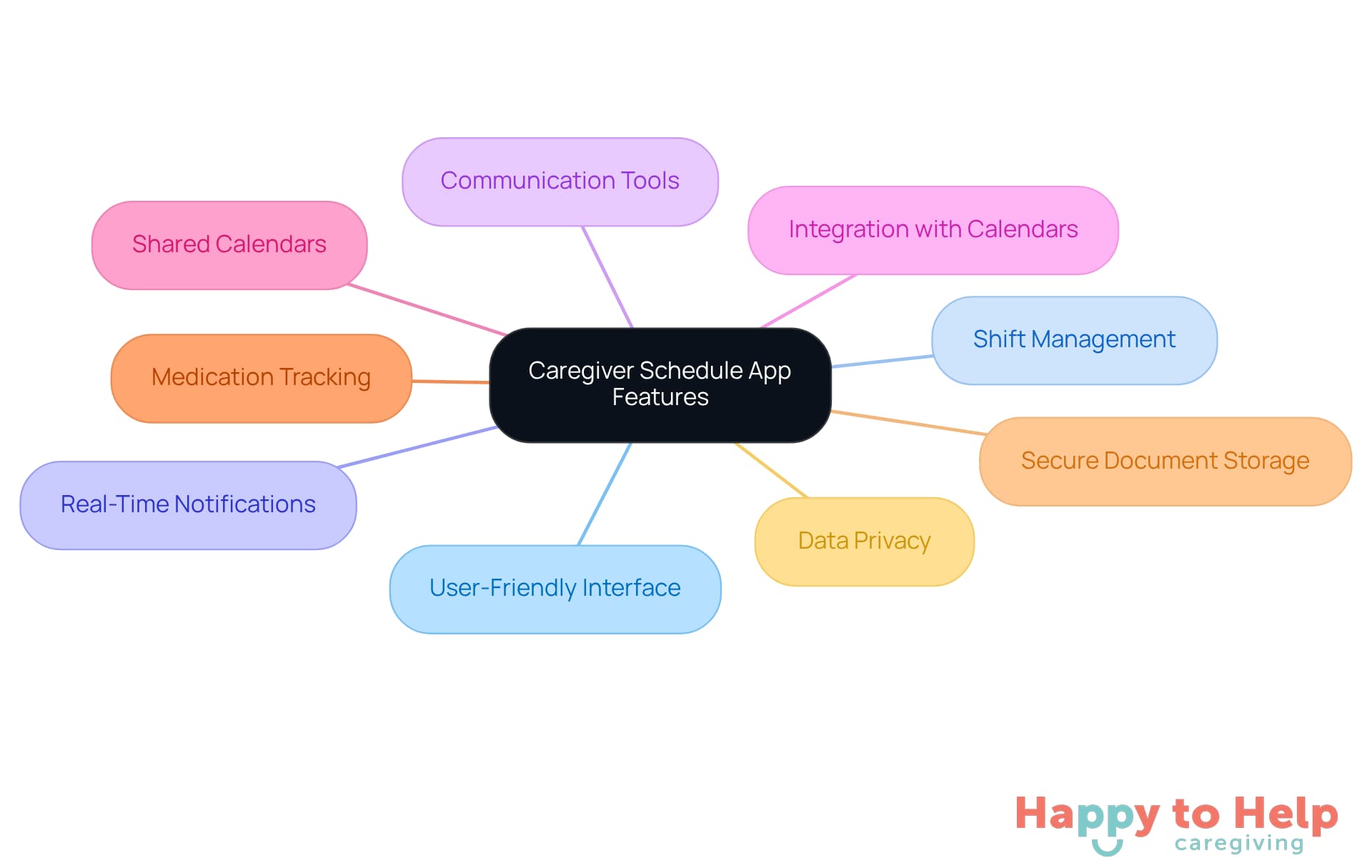
- User-Friendly Interface: An intuitive design is essential, allowing caregivers to navigate the app effortlessly, which is vital for those who may not be tech-savvy.
- Shift Management: Look for capabilities that enable staff to assign, swap, and track shifts efficiently, ensuring smooth operations and flexibility in scheduling.
- Real-Time Notifications: Alerts for upcoming shifts, changes, or important reminders help support staff stay organized and informed without feeling overwhelmed.
- Communication Tools: Built-in messaging systems enable seamless interaction between providers and family members, enhancing collaboration and care coordination.
- Integration with Calendars: Syncing capabilities with personal calendars help avoid scheduling conflicts, making it easier to manage multiple responsibilities.
- Shared Calendars: This feature aids in coordinating appointments, visits, and care shifts among various personnel, decreasing the likelihood of miscommunication.
- Medication Tracking: Features that aid professionals in overseeing and reminding clients about medication schedules are vital for maintaining health and safety.
- Secure Document Storage: Ensuring that the app provides a safe space for storing important medical and legal documents is critical for protecting patient privacy.
- Data Privacy: Seek applications that emphasize data protection to secure sensitive information, addressing a major issue for those who provide care.
By concentrating on these features, caregivers can select a caregiver schedule app that not only assists in their daily tasks but also improves the quality of care provided and alleviates the emotional stress frequently linked to caregiving.
Evaluate and Compare Available Caregiver Scheduling Apps
To effectively evaluate and compare caregiver schedule apps, caregivers face a significant challenge: managing time efficiently while ensuring quality care for their loved ones. This problem can lead to stress and burnout, making it crucial to find the right tools, such as a caregiver schedule app, to streamline scheduling.
-
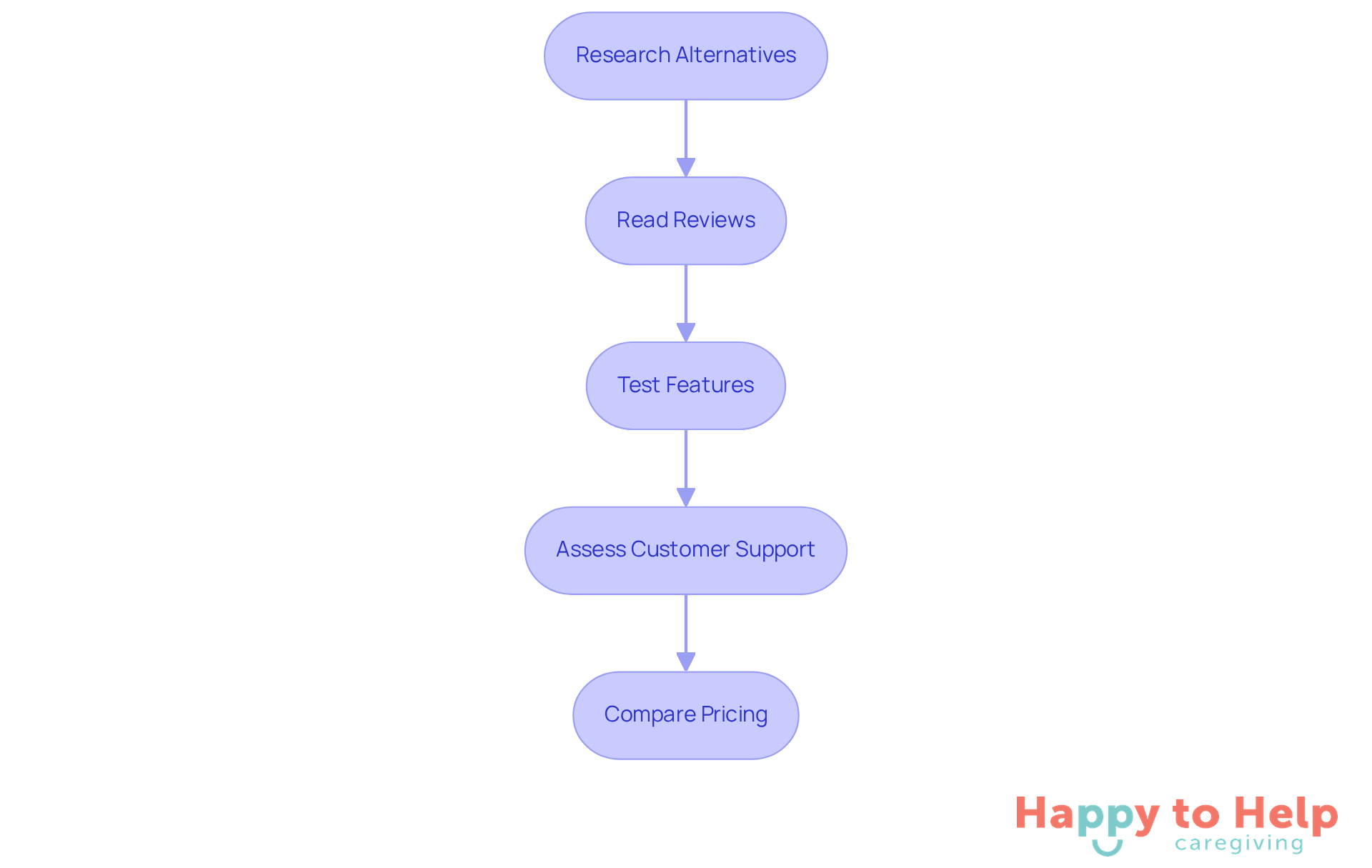
Research Alternatives: Start by creating a list of well-liked support worker planning applications available in the market. Notable options include When I Work, Deputy, and Smartlinx, each designed to enhance scheduling and improve staff efficiency.
-
Read Reviews: User feedback and testimonials are invaluable for understanding the experiences of other caregivers. For instance, Deputy is praised for its user-friendly interface, while When I Work is noted for its detailed employee database and excellent customer service. Based on user ratings, Deputy has a high satisfaction rate, making it a dependable option for numerous providers.
-
Test Features: Many applications offer free trials, allowing you to explore their features and usability. This hands-on approach helps identify which app best meets your specific needs, such as shift management and communication tools. For example, Smartlinx provides a free trial option, enabling caregivers to assess its functionalities before committing.
-
Assess Customer Support: Evaluate the level of customer support provided by app developers. Dependable assistance can be essential for resolving issues and ensuring a seamless user experience. Caregivers like Angela have observed the significance of responsive customer service in their experiences with scheduling software.
-
Compare Pricing: Analyze the pricing structures of different apps to find one that fits your budget while meeting your needs. For example, When I Work starts at $2.50 per user per month, while Deputy's pricing begins at $3.50 per user per month. Understanding these costs can assist caregivers in making informed decisions.
By following these steps, providers can confidently select a caregiver schedule app that enhances their time management effectiveness and overall support experience, ultimately leading to better care for their loved ones. Furthermore, it's crucial to recognize that the number of relatives assisting older adults rose by almost one-third between 2011 and 2022, emphasizing the increasing need for effective planning solutions.
Implement the App into Your Caregiving Routine
To effectively integrate a caregiver schedule app into your daily routine, caregivers often face challenges in managing their time and responsibilities. This can lead to stress and missed commitments, impacting the quality of care provided.
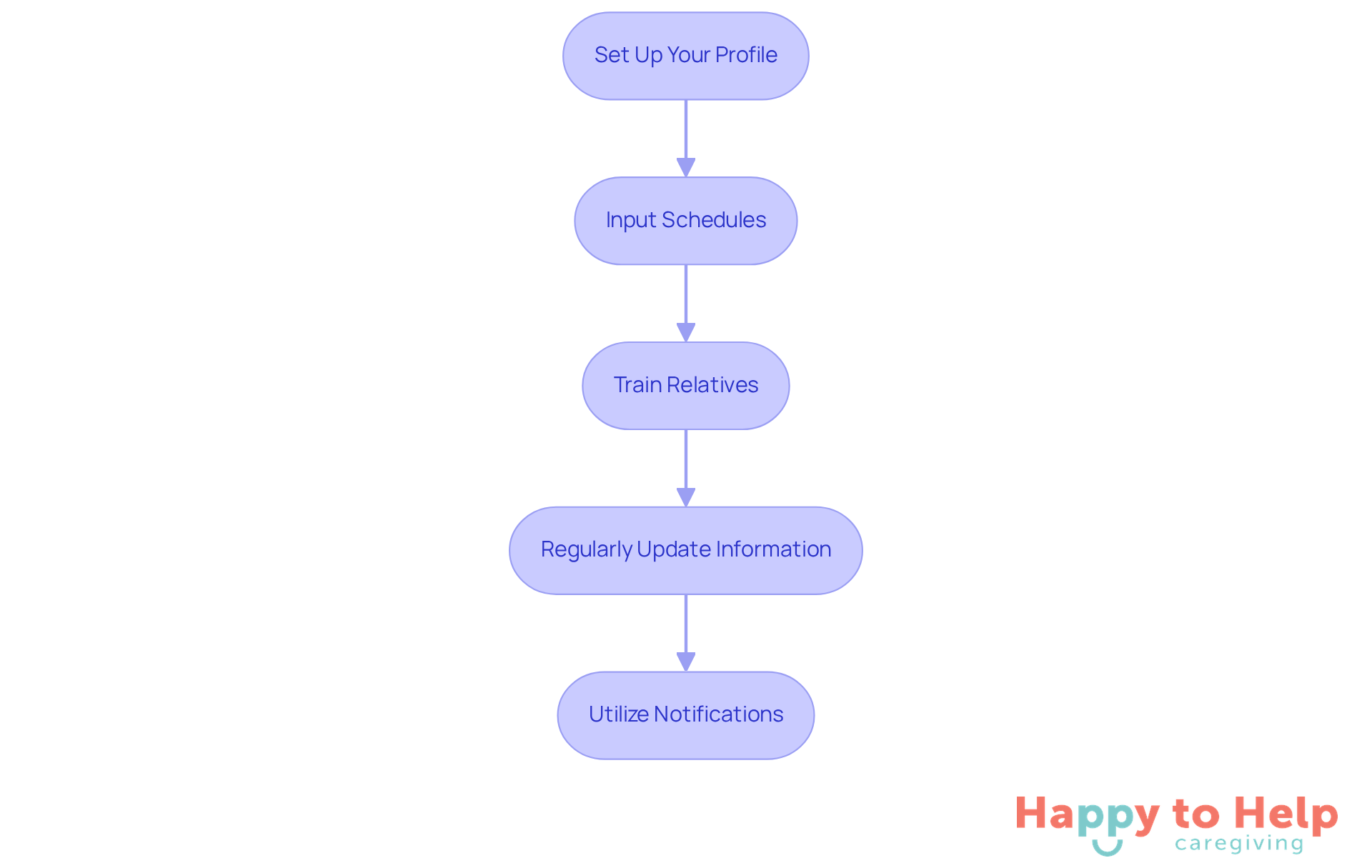
To address these issues, consider the following actionable steps:
-
Set Up Your Profile: Start by creating a detailed profile that outlines your availability, preferences, and the specific needs of the clients you care for. This personalization ensures that the app aligns with your caregiving style.
-
Input Schedules: Enter all existing appointments, shifts, and tasks into the app. This comprehensive overview of your responsibilities will help you manage your time more effectively with a caregiver schedule app and reduce the likelihood of missed commitments.
-
Train Relatives: Educate relatives on how to use the app. This training will empower them to stay informed about schedules and updates, fostering better communication and collaboration in caregiving efforts. As one supporter remarked, "The app made requesting assistance from others for caregiving simpler," emphasizing the significance of loved ones' participation.
-
Regularly Update Information: Make it a routine to update the app with any changes in schedules or client needs. Keeping everyone informed ensures that care remains consistent and responsive to evolving circumstances.
-
Utilize Notifications: Enable notifications to remind you of upcoming shifts and important tasks. Using a caregiver schedule app, these alerts can help you stay organized and proactive, reducing stress and enhancing your overall caregiving efficiency.
Data reveal that 57.2% of caregivers indicated using mobile health tools, suggesting an increasing trend towards leveraging technology for improved care management. By integrating these practices, you can greatly boost your caregiving effectiveness and enhance communication with relatives, ultimately resulting in a more supportive and structured caregiving atmosphere. Caregivers have noted that using a caregiver schedule app not only streamlines their daily tasks but also strengthens family connections, making it easier to coordinate care and share responsibilities.
Taking the Next Steps
Caregivers often face significant challenges in managing their responsibilities, leading to stress and potential oversight of essential tasks. This disorganization can impact not only their well-being but also the quality of care provided to clients. As the demand for caregiving continues to rise, finding effective solutions is crucial.
One effective solution is utilizing caregiver scheduling apps. These digital tools can:
- Streamline daily tasks
- Enhance communication among caregivers and family members
- Ensure that important appointments and responsibilities are not overlooked
By embracing these innovations, caregivers can create a more organized and efficient caregiving experience.
When selecting a caregiver scheduling app, it's essential to consider key features such as:
- User-friendly interfaces
- Real-time notifications
- Secure document storage
Implementing the app into daily routines requires personalization, regular updates, and effective communication with family members. Each of these elements contributes to a more structured and supportive caregiving environment.
By integrating caregiver scheduling apps into their practices, caregivers can improve their own well-being while enhancing the quality of care they provide. This approach not only benefits caregivers but also ensures that clients receive the attention and support they need. Embracing technology in caregiving paves the way for a more compassionate and organized experience.
https://iframe.tely.ai/cta/eyJhcnRpY2xlX2lkIjogIjY5MmY5MTlkY2E4MDg5MWIwMmZiMDBmNyIsICJjb21wYW55X2lkIjogIjY4ZWU1ZGNhNzMxNzYyNTU3ZjNjOTVjMSIsICJpbmRleCI6IG51bGwsICJ0eXBlIjogImFydGljbGUifQ==Frequently Asked Questions
What is the purpose of caregiver scheduling apps?
Caregiver scheduling apps are designed to help caregivers organize their responsibilities, reduce stress, and prevent gaps in care by simplifying the management of caregiving tasks.
What issues do caregivers face that these apps address?
Caregivers often struggle with disorganization, which can lead to missed appointments, miscommunication, and a decline in the quality of care provided to clients.
How do caregiver scheduling apps assist providers?
These apps help providers allocate their time and resources effectively, arrange shifts, monitor appointments, and maintain communication among support providers and family members.
What benefits do caregivers gain from using these apps?
By using caregiver scheduling apps, caregivers can better coordinate care, reduce stress, and enhance the quality of life for their clients.
What features do caregiver scheduling apps typically offer?
Features often include viewing schedules, receiving reminders for appointments, and communicating changes in real-time, which are essential for delivering consistent care.
List of Sources
- Understand the Purpose of Caregiver Scheduling Apps
- Uber Health Unveils New Solution to Support Caregivers (https://at-newswire.com/uber-health-unveils-new-solution-to-support-caregivers)
- Technology Use Among Older Adults and Their Caregivers: Cross-Sectional Survey Study (https://aging.jmir.org/2024/1/e50759)
- Caring Village Announces Enhanced App Features to Support Family Caregivers and Reduce Stress (https://prnewswire.com/news-releases/caring-village-announces-enhanced-app-features-to-support-family-caregivers-and-reduce-stress-302604921.html)
- The Future of Caregiving: How Apps Are Revolutionizing Care (https://caily.com/blog/how-caregiving-apps-are-revolutionizing-care)
- Association Between Mobile App Use and Caregivers’ Support System, Time Spent on Caregiving, and Perceived Well-being: Survey Study From a Large Employer - PMC (https://pmc.ncbi.nlm.nih.gov/articles/PMC9039821)
- Identify Essential Features for Your Caregiver Schedule App
- Caregiver Apps & Future Trends for Care Teams | ShiftCare (https://shiftcare.com/blog/the-future-of-caregiver-apps)
- Caring Village Announces Enhanced App Features to Support Family Caregivers and Reduce Stress (https://prnewswire.com/news-releases/caring-village-announces-enhanced-app-features-to-support-family-caregivers-and-reduce-stress-302604921.html)
- The Future of Caregiving: How Apps Are Revolutionizing Care (https://caily.com/blog/how-caregiving-apps-are-revolutionizing-care)
- Using Technology To Manage and Simplify Family Caregiving (https://caringvillage.com/2025/11/07/caregiving-app-family-caregiving-2025)
- 30 Quotes About the Future of Healthcare: Expert Takes (https://deliberatedirections.com/quotes-future-of-healthcare)
- Evaluate and Compare Available Caregiver Scheduling Apps
- Caregiver Apps & Future Trends for Care Teams | ShiftCare (https://shiftcare.com/blog/the-future-of-caregiver-apps)
- The Best Apps for Caregivers: 7 Recommendations (https://carescout.com/resources/the-best-apps-for-caregivers-7-tools-to-make-caregiving-easier)
- 9 Best Caregiver Staff Scheduling Software (2025 Edition) (https://blog.makeshift.ca/caregiver-scheduling-software)
- Best Home Care Software with Scheduling 2025 (https://getapp.com/healthcare-pharmaceuticals-software/home-care/f/scheduling)
- Tech Roundup: Comparing the Best Caregiver Apps & Devices of 2025 (https://memoryboard.com/blogs/news/tech-roundup-comparing-the-best-caregiver-apps-devices-of-2025?srsltid=AfmBOorpm\_0Uo2IZ5vfNQCBoDj5xN8LxOjzEOI-jPvDvlsT\_7ZEsEq3b)
- Implement the App into Your Caregiving Routine
- How Caregiver Apps Are Shaping Home Care | ShiftCare (https://shiftcare.com/us/blog/the-future-of-caregiver-apps)
- Interpretable Machine Learning Models for Analyzing Determinants Affecting the Use of mHealth Apps Among Family Caregivers of Patients With Stroke in Chinese Communities: Cross-Sectional Survey Study - PMC (https://pmc.ncbi.nlm.nih.gov/articles/PMC12643396)
- Caregiver Dementia Quotes (Encouragement For Dementia Caregivers) (https://optoceutics.com/caregiver-dementia-quotes-encouragement-dementia-caregivers?srsltid=AfmBOoq3mWDU37iMiIUz\_kTT4Qx4zMiQ9EfsgcnbotHY8v52R-wpdoFE)
- Association Between Mobile App Use and Caregivers’ Support System, Time Spent on Caregiving, and Perceived Well-being: Survey Study From a Large Employer (https://jmir.org/2022/4/e28504)
- 27 Inspirational Quotes for Caregivers (https://ultimatecareny.com/resources/27-quotes-for-caregivers)